Publicado en Affiliate Marketing, Digital Marketing, Digital Tools, Entrepreneurship, Online Business

GotBackUp for Complete Beginners Who Want to Start Earning Online

🌐 Prefer to Read This Article in Spanish?

This complete educational guide is also available in Spanish.

👉 Leer el Artículo en Español →

Discover How a Practical Digital Service Could Become Your First Step Toward Building an Online Business

What If Your First Online Business Started With Something People Already Need?

Every day, thousands of people search the internet for ways to earn additional income.

Some want to supplement their salaries. Others hope to develop a business they can manage from home. Many simply want greater financial flexibility without having to purchase inventory, rent office space, or become technology experts.

  • Unfortunately, the online business world can feel overwhelming to beginners.

There are complicated advertising systems, expensive courses, unfamiliar business models, and countless promises of overnight success.

  • But starting an online business doesn’t necessarily require creating your own product.

Sometimes, it begins with understanding a useful service, learning how to explain its benefits, and connecting that service with people who may need it.

That is the idea behind GotBackUp, a cloud backup service that also offers a reseller opportunity.

Could it be an option worth exploring for someone with no previous online business experience?

Let’s examine what GotBackUp offers, how its business model works, what beginners should expect, and how to take the first step.

What Exactly Is GotBackUp?

GotBackUp is a digital cloud backup service designed to help individuals and families protect important electronic files.

Think about everything stored on your computer or other electronic devices:

  • Family photographs and personal videos.
  • Important financial and legal documents.
  • School assignments and educational materials.
  • Business records and professional projects.
  • Personal memories that may be impossible to replace.

Now imagine losing access to those files because of a damaged computer, accidental deletion, hardware failure, or another unexpected problem.

Cloud backup services help reduce the risk of permanent data loss by maintaining additional copies of files in remote storage.

GotBackUp offers backup and file-access features for its customers.

Its advertised Family plan includes six separate accounts, a combined 6 TB of backup storage, and support for backing up multiple devices.

The important distinction is that GotBackUp is a digital service first, with a separate business opportunity available to eligible resellers.

Customers can benefit from the service without needing to promote it.

Why Is Cloud Backup a Product Worth Understanding?

We live in a world increasingly dependent on digital information.

Families store photographs instead of printing albums. Small businesses maintain electronic records. Students complete assignments online. Entrepreneurs rely on computers to manage daily operations.

  • Yet not everyone has a dependable backup plan.

This creates an opportunity to educate people about digital protection.

Consider three common situations.

A parent protecting family memories: Years of photographs and videos may exist on a single computer. Having additional backups can help protect those memories.

A freelancer managing client projects: Losing documents or project files could interrupt work. A reliable backup routine can help reduce this risk.

A small business owner safeguarding records: Important documents may be stored electronically and should be protected against accidental loss.

  • These are practical needs, not hypothetical luxuries.

That is why an online business centered on explaining digital backup may appeal to someone interested in recommending a useful service.

Of course, GotBackUp is not the only cloud backup provider. Customers should compare features, storage limits, security, reliability, and pricing before choosing any service.

How Can Beginners Earn Commissions With GotBackUp?

GotBackUp provides a reseller or affiliate program for people interested in recommending its services.

The basic process is straightforward:

  1. Learn about the product and its benefits.
  2. Activate the appropriate reseller eligibility or license.
  3. Receive a personalized referral link and available promotional tools.
  4. Introduce the service to interested people.
  5. Earn qualifying commissions when purchases or other compensated activity occur under the official program rules.

Depending on the current compensation plan, qualifying resellers may be eligible for direct commissions, recurring commissions associated with continuing subscriptions, and certain team-related bonuses.

  • However, commissions are not automatic.

Simply becoming a reseller does not mean you will earn money.

The number of customers you attract, their purchases and retention, program requirements, and your operating expenses all affect your results.

This is a commission-based business opportunity—not a salary, a guaranteed investment, or a promise of passive income.

Do You Need Previous Experience?

One reason people investigate digital referral programs is that they may be easier to begin learning than businesses that require manufacturing products or maintaining physical inventory.

With GotBackUp, beginners do not need to develop their own cloud storage technology or personally handle physical merchandise.

  • The company provides the underlying digital service.

Its reseller program also advertises marketing resources that may include referral pages, presentations, promotional materials, and follow-up tools.

  • This can help reduce some initial technical tasks.

Nevertheless, there are important skills every beginner should develop:

Communication: Learn to explain what cloud backup does in simple language.

Digital marketing: Understand how educational content, social media, and permission-based email marketing can connect you with potential customers.

Customer relationships: Answer questions honestly and follow up professionally.

Consistency: Set realistic weekly activity goals and review your progress.

Financial awareness: Track expenses, commissions, and actual net profit.

  • You do not need to know everything on your first day.

But you do need to be willing to learn.

What Does It Cost to Get Started?

Before joining any business opportunity, it is important to understand its costs.

At the time of writing, GotBackUp’s official pages advertise a Family cloud backup plan at approximately $9.97 per month, or $99.97 per year.

  • Its business FAQ also describes a reseller or affiliate fee of $20 annually.

Some other promotional pages display different packages, billing structures, or introductory offers. Therefore, you should verify the exact fees, renewal terms, and services included on the final checkout page before purchasing.

Additional optional expenses could include advertising, marketing software, business tools, or educational resources.

  • Beginners should not spend money they cannot afford to lose.

A sensible approach is to understand the product and business model before deciding whether the recurring costs fit your budget.

A Beginner-Friendly Plan for Your First Seven Days

Starting with an organized plan can help you avoid the confusion that often accompanies a new online business.

Day 1: Understand the Product

Explore what GotBackUp provides.

Learn about cloud backup, account features, pricing, and customer support.

Your priority should be product knowledge, not recruiting.

Day 2: Understand the Business Opportunity

Review the reseller terms, eligible commissions, fees, and restrictions.

Ask questions about how payments are calculated, when commissions become payable, and what happens if a customer cancels.

Day 3: Identify Your Audience

Think about people who may benefit from better digital file protection.

Possible audiences include families, freelancers, online entrepreneurs, students, and small business owners.

Focus on customer needs rather than assuming everyone is a potential buyer.

Day 4: Prepare Your Educational Message

Write a simple explanation of the service.

For example:

«Have you ever thought about what would happen if your computer stopped working and you lost your important files? I’ve been exploring a cloud backup service designed to help people protect their digital memories and documents. I can share information if you’d like to learn more.»

  • This approach begins a conversation without pressuring anyone.

Day 5: Choose One Marketing Channel

You do not need to promote through every platform.

Start with one channel you understand, such as:

  • A personal blog.
  • A professional Facebook page.
  • Educational YouTube videos.
  • A permission-based email newsletter.
  • Relevant online communities that allow promotional or educational participation.

Create useful content before asking people to purchase.

Day 6: Learn to Follow Up

Some people will have questions. Others may want to compare alternatives or discuss pricing.

  • Answer respectfully.

Avoid repeated unsolicited messages, misleading claims, or exaggerated promises.

A professional follow-up should help someone make an informed decision, not create artificial urgency.

Day 7: Evaluate Your Progress

Look at what you accomplished during the week.

Did you understand the service better? Did you publish useful educational content? Did anyone express genuine interest?

Use these observations to plan the following week.

Remember that learning and business development are gradual processes.

  • Seven days is an introduction, not a deadline for earning commissions.

Five Common Mistakes Beginners Should Avoid

Many new online entrepreneurs become discouraged because their expectations are unrealistic.

Here are five mistakes worth avoiding.

Mistake 1: Expecting immediate income. Commissions depend on qualifying business activity. There is no predictable deadline for making a first sale.

Mistake 2: Promoting without understanding the product. Potential customers deserve accurate information about what they are purchasing.

Mistake 3: Treating every contact as a prospect. Build relationships and respect people’s preferences.

Mistake 4: Spending excessively on advertising. Test messages carefully, monitor expenses, and avoid risking essential household funds.

Mistake 5: Focusing exclusively on recruitment. Sustainable customer relationships begin with genuine product value. Understand the full compensation structure and never suggest that recruiting alone guarantees earnings.

The objective is not simply to attract attention.

  • It is to develop trust.

Can You Build a Business Without Being a Technology Expert?

Yes, it is possible to learn digital marketing gradually.

You do not have to be a programmer, website developer, or professional advertiser to understand a referral-based business.

  • Many useful skills can be learned through practice.

For example, you might begin by writing one helpful article per week about protecting family photographs, backing up business documents, or preventing avoidable data loss.

That article could introduce the subject, answer common questions, and invite interested readers to explore a relevant service.

Over time, you might expand into educational videos, email newsletters, and other marketing activities.

The goal is to develop a repeatable process:

Educate → Build Trust → Explain the Solution → Invite a Decision → Provide Support

This process does not guarantee sales, but it provides a more professional foundation than simply posting referral links everywhere.

Is GotBackUp Right for Everyone?

Not necessarily.

GotBackUp may be worth examining if you:

  • Are interested in a digital service with a practical purpose.
  • Want to learn how referral and commission-based marketing works.
  • Are comfortable communicating with potential customers.
  • Can afford the necessary fees without financial hardship.
  • Are willing to review the terms and develop marketing skills.

It may not be appropriate if you need immediate guaranteed income, cannot afford recurring costs, dislike sales-related activities, or have no interest in the underlying service.

People seeking a stable salary may be better served by employment or contract work.

  • The right decision depends on your needs, expectations, and financial circumstances.

Frequently Asked Questions

Can I explore GotBackUp without paying immediately?

The English opportunity tour currently provides a free introductory presentation. Exploring that presentation does not, by itself, require purchasing a membership.

Do I need to own a website?

According to GotBackUp’s business FAQ, a personal website is not required because the reseller program provides referral and promotional resources.

Will I receive commissions just for signing up?

No. Earnings require qualifying activity under the official compensation rules.

Can commissions continue every month?

Some compensation components relate to continuing subscriptions, but eligibility and actual payments depend on current program rules and customer activity.

Is this passive income?

Not automatically. Referrals, content creation, customer communication, and ongoing business management generally require effort.

Can I build this business while keeping my current job?

The promotional activities can potentially be organized around other responsibilities, but results depend on the time, resources, and consistency you bring to the business.

Your Next Step: Learn Before You Decide

Every successful learning journey begins with a decision to understand something new.

You do not have to resign from your job, become an expert overnight, or make unrealistic financial commitments to explore an online business model.

You can begin by learning what the product offers, how customers use it, and how eligible resellers may earn commissions.

Then decide whether the opportunity matches your personal goals.

The most valuable first step is not spending money. It is becoming informed.

Ready to Explore GotBackUp? Your Free Tour Starts Here!

You have already taken an important step by learning how this business model works. Now discover the service and opportunity for yourself.

If you have been searching for an online business you can learn from the beginning, consider exploring GotBackUp before dismissing the possibility.

  • You do not need prior marketing experience to watch the presentation.

You need curiosity, a willingness to learn, and the discipline to decide for yourself.

Visit the free GotBackUp opportunity tour today:

YES! SHOW ME HOW GOTBACKUP WORKS — START MY FREE TOUR

Discover the digital backup service, explore the reseller opportunity, and decide whether this is a direction you want to pursue.

Your future business journey could begin with one informed decision. Make that decision yours.


Affiliate Disclosure: This article contains a GotBackUp referral link. If you purchase or join through it, the referring reseller may receive compensation at no additional referral charge to you. This article is educational and promotional; readers should independently review the product, program terms, and costs.

Earnings Disclaimer: GotBackUp is a commission-based business opportunity. Earnings are not guaranteed, and some participants may earn little or nothing or incur a financial loss after expenses. Any potential income depends on qualifying sales, customer retention, applicable compensation rules, individual effort, and other factors. No specific financial outcome is promised.

Published for educational purposes by Marvin Gandis — Team Leader GotBackUp.
Publicado en Artificial Intelligence, Automation, Business Technology, Digital Marketing, Entrepreneurship, Online Business, Productivity, Small Business

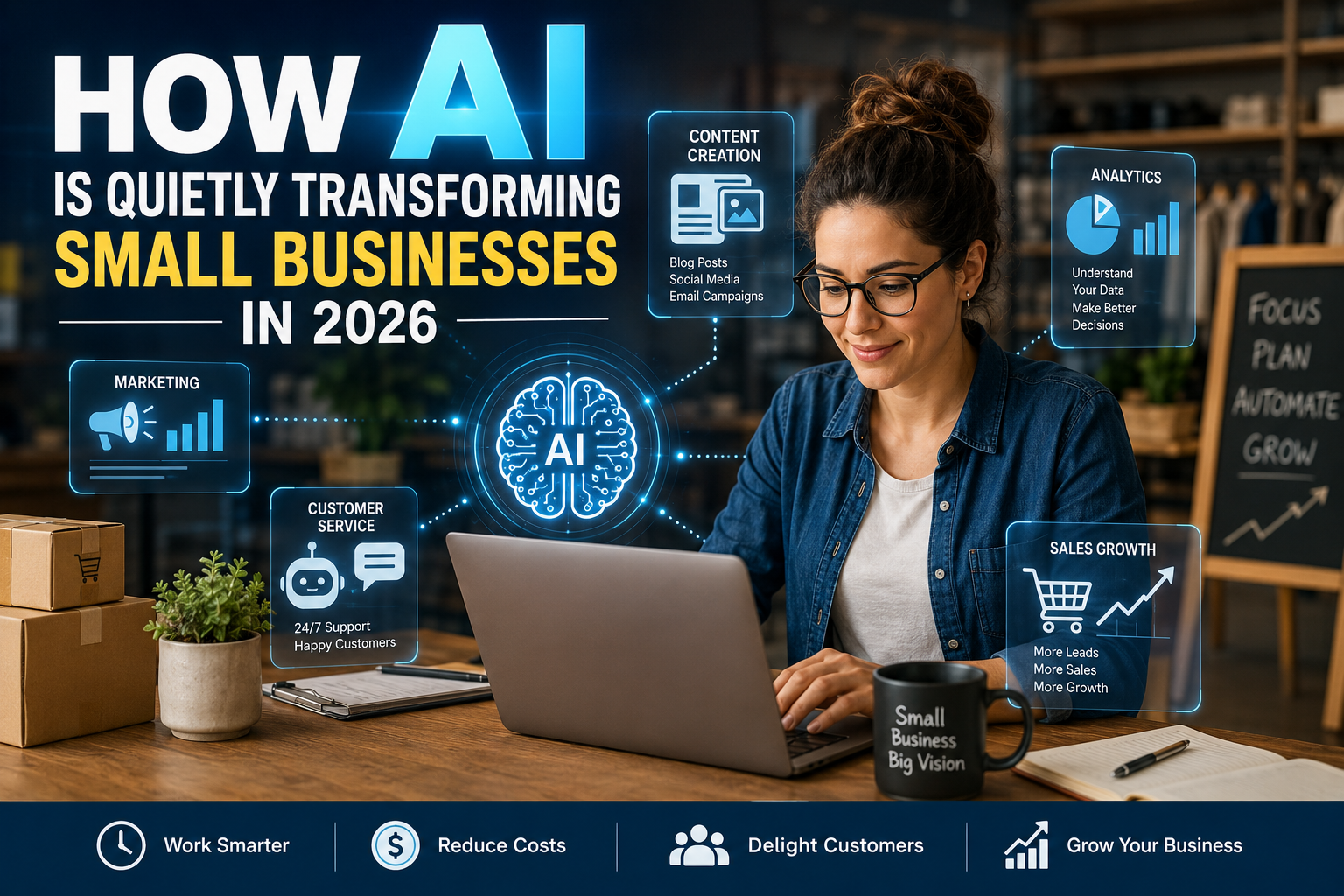
How AI Is Quietly Transforming Small Businesses in 2026 — And What Entrepreneurs Should Do Now

By Marvin Gandis

Artificial intelligence is no longer something reserved for large corporations, software companies, or technology experts.

In 2026, AI is quietly becoming part of small businesses’ everyday operations.

It is answering customer questions.

It is helping write emails.

It is preparing social media content.

It is organizing schedules.

It is analyzing customer information.

It is helping business owners generate ideas, improve advertisements, create images, summarize documents, and automate repetitive tasks.

And in many cases, customers may never even realize that AI helped make those experiences possible.

This is one of the most important business changes taking place today.

The transformation is not always dramatic.

There may be no robot standing behind the counter.

There may be no complicated computer laboratory.

Instead, AI is becoming embedded inside the ordinary tools entrepreneurs already use.

That quiet integration may ultimately matter more than the spectacular demonstrations of artificial intelligence that get most of the headlines.

AI Has Moved From Experiment to Everyday Business Tool

For years, artificial intelligence sounded futuristic.

Today, small businesses are increasingly treating it as practical infrastructure.

Recent research illustrates how quickly adoption is growing. The U.S. Chamber of Commerce reported that 58% of small businesses were using generative AI in 2025, up from 40% in 2024 and 23% in 2023. Other 2026 small-business research has found that many companies are now investing in AI as part of their regular operations rather than treating it simply as an experiment.

The significance is not merely that more businesses are trying AI.

The bigger change is how they are using it.

AI is moving from:

“Let me see what this technology can do.”

to:

“How can this technology help me run my business better?”

That is a major transition.

Small Businesses Are Becoming More Productive Without Becoming Much Larger

One of the biggest advantages AI gives small companies is leverage.

A business that once needed several people to perform certain administrative, marketing, or communication tasks may now accomplish some of those tasks with a smaller team.

That does not necessarily mean eliminating employees.

It often means allowing existing employees to accomplish more.

A business owner can use AI to help:

  • Draft customer emails.
  • Create first versions of proposals.
  • Summarize meetings.
  • Generate advertising ideas.
  • Organize notes.
  • Produce product descriptions.
  • Research common customer questions.
  • Prepare social media calendars.
  • Build checklists.
  • Analyze spreadsheets.
  • Create customer-service responses.
  • Turn long documents into summaries.

A task that previously consumed two hours might sometimes be reduced to twenty or thirty minutes.

Multiply that across an entire year and the productivity difference becomes substantial.

For small companies with limited employees, that additional capacity can be extremely valuable.

Marketing Is Becoming Faster and More Accessible

Marketing has traditionally been difficult for many small-business owners.

They may understand their products very well but struggle with:

  • Copywriting.
  • Social media.
  • Email campaigns.
  • SEO.
  • Graphic concepts.
  • Video scripts.
  • Advertising.
  • Customer segmentation.
  • Lead nurturing.

AI is reducing some of those barriers.

An entrepreneur can now begin with a simple instruction such as:

“Create five email subject lines for customers who abandoned their shopping carts.”

Or:

“Give me ten educational video ideas based on the questions my customers ask most often.”

Or:

“Turn this product description into a Facebook post, an email, and a short video script.”

The entrepreneur still needs judgment.

But AI can dramatically accelerate the first draft.

This matters because small businesses often lose marketing opportunities simply because the owner does not have enough time to create the necessary material.

AI does not eliminate the need for strategy.

It reduces the friction involved in executing that strategy.

Customer Service Is Becoming Available Around the Clock

Customers increasingly expect fast answers.

They want to know:

Where is my order?

What are your hours?

Do you offer refunds?

Can I make an appointment?

Do you ship internationally?

Which product is right for me?

A human employee does not need to answer every repetitive question manually.

AI-powered chat systems and automated assistants can increasingly handle simple questions, guide visitors through websites, collect information, and route more complicated issues to a person.

This creates an important opportunity for small companies.

Historically, larger corporations had an advantage because they could afford large customer-service departments.

AI can narrow part of that gap.

A small business may now provide faster responses without maintaining a massive support staff.

However, automation should not become an excuse for poor customer service.

Customers still need access to a real person when the situation requires judgment, empathy, or problem-solving.

The strongest model is not:

AI instead of people.

It is:

AI for routine matters, people for important matters.

AI Is Helping Businesses Understand Their Customers

Small companies accumulate enormous amounts of information.

Website visits.

Purchases.

Email engagement.

Customer questions.

Reviews.

Sales records.

Advertising results.

Support requests.

Historically, much of this information remained unused because the business owner lacked the time or technical knowledge required to analyze it.

AI is making analysis more accessible.

A business owner may increasingly be able to ask questions such as:

“Which products are selling fastest?”

“Which customers are most likely to buy again?”

“What complaints appear most often?”

“Which email topics generate the highest response?”

“Which advertising campaign produced the best-quality leads?”

The ability to ask business questions in ordinary language could become one of AI’s most valuable contributions.

Entrepreneurs do not necessarily need to become data scientists.

They need to learn how to ask better questions.

Personalization Is No Longer Reserved for Large Companies

Large corporations have used sophisticated customer-data systems for years.

Small companies often could not afford them.

AI is changing that.

Businesses can increasingly personalize:

  • Emails.
  • Product recommendations.
  • Offers.
  • Customer follow-up.
  • Website experiences.
  • Advertising messages.
  • Educational content.

Instead of sending everyone the same message, businesses can communicate according to the customer’s interests, history, or stage in the buying process.

This matters because modern customers are surrounded by generic marketing.

Relevant communication gets attention.

Generic communication gets ignored.

However, personalization must be handled responsibly.

Businesses should respect privacy and avoid creating the impression that they know more about customers than customers reasonably expect.

AI Is Changing Search and Content Discovery

Another transformation is happening outside the business itself.

Consumers are increasingly obtaining answers from AI-powered search systems, recommendation engines, conversational assistants, and personalized feeds.

That means businesses must think beyond traditional search engine optimization.

For years, companies asked:

“How do we rank on Google?”

Now they must also ask:

“Will AI systems understand what our business does?”

“Is our information accurate and clearly structured?”

“Does our website provide genuinely useful answers?”

“Does our brand have enough credibility to be referenced by recommendation systems?”

The businesses that publish clear, useful, trustworthy information may gain an advantage as AI becomes more involved in how consumers discover products and services.

Small Businesses Are Beginning to Use AI Agents

One of the more important developments in 2026 is the rise of AI agents.

Traditional AI generally waits for instructions.

An AI agent may be designed to complete several connected actions toward a goal.

For example, an agent might:

  1. Identify a new sales lead.
  2. Research the company.
  3. Prepare a personalized introduction.
  4. Create a draft follow-up email.
  5. Update a CRM record.
  6. Recommend the next action.

The technology is still developing, and businesses should be careful about giving automated systems unrestricted authority.

But the direction is important.

AI is gradually moving from generating information to helping perform workflows.

That could have enormous consequences for small companies.

The Greatest Advantage May Be Speed

Small businesses often cannot compete with corporations in advertising budgets, staffing, or purchasing power.

But they can sometimes compete in speed.

A small entrepreneur may be able to recognize an opportunity in the morning, build a campaign by afternoon, and launch it in the evening.

AI strengthens that advantage.

Ideas can move more quickly from:

Observation

to

Research

to

Draft

to

Campaign

to

Testing.

The entrepreneur who combines good judgment with AI assistance may be able to respond much faster than a larger organization burdened by multiple approval layers.

But AI Also Creates Serious Risks

AI should not be treated as magic.

It can produce incorrect information.

It can misunderstand instructions.

It can create misleading statistics.

It can imitate patterns without understanding context.

It can produce content that sounds authoritative while being completely wrong.

Businesses must therefore establish safeguards.

Never assume that something is true simply because an AI system produced it confidently.

Human review remains essential.

Privacy and Confidential Information Matter

Business owners should be especially careful when entering information into AI systems.

Sensitive information may include:

  • Customer records.
  • Financial information.
  • Passwords.
  • Medical information.
  • Confidential contracts.
  • Employee records.
  • Proprietary business information.
  • Personally identifiable information.

Before using an AI platform for confidential business work, entrepreneurs should understand the platform’s privacy, security, retention, and data-use policies.

Convenience should never replace basic security.

Do Not Automate Your Reputation

A business reputation may take years to build and minutes to damage.

That means entrepreneurs should be cautious about allowing AI systems to independently publish:

  • Legal claims.
  • Medical claims.
  • Financial promises.
  • Public accusations.
  • Pricing commitments.
  • Customer disputes.
  • Sensitive announcements.

AI can prepare a draft.

A responsible person should approve important communications.

AI Does Not Replace Business Fundamentals

An entrepreneur can have excellent AI tools and still fail.

Why?

Because AI cannot rescue a fundamentally weak offer.

It cannot permanently compensate for bad customer service.

It cannot create trust where a company repeatedly breaks promises.

It cannot transform a product nobody wants into a great business simply by creating more advertisements.

The fundamentals still matter:

A real problem.

A valuable solution.

A defined customer.

A credible offer.

Strong communication.

Consistent follow-up.

Good service.

Financial discipline.

Trust.

AI amplifies what already exists.

If the business is well organized, AI may amplify efficiency.

If the business is chaotic, AI may simply help produce chaos faster.

What Entrepreneurs Should Do Now

The worst approach is to panic.

The second-worst approach is to ignore AI completely.

A better approach is controlled adoption.

Step 1: Identify Repetitive Work

Write down the activities that consume time every week.

Look for tasks such as:

  • Email drafting.
  • Research.
  • Meeting summaries.
  • Scheduling.
  • Social posts.
  • Product descriptions.
  • Customer FAQs.
  • Data entry.
  • Lead follow-up.
  • Reporting.

These are often good candidates for AI assistance.

Step 2: Choose One Workflow

Do not try to automate your entire company in one weekend.

Choose one area.

For example:

“AI will help us create first drafts of our weekly marketing emails.”

Use that workflow repeatedly.

Measure the results.

Improve the process.

Then expand.

Step 3: Measure Actual Value

Ask:

How much time did we save?

Did quality improve?

Did customers respond better?

Did sales increase?

Did errors decrease?

Did employees become more productive?

AI should produce measurable business value.

If a tool creates more work than it eliminates, reconsider how you are using it.

Step 4: Build an AI-Assisted Workflow

The most effective process may look like this:

Human goal → AI assistance → Human review → Execution → Measurement

That model keeps people responsible while allowing machines to accelerate routine work.

Step 5: Create Your Own Prompt Library

If a prompt works well, save it.

Create categories such as:

Marketing prompts.

Customer-service prompts.

Research prompts.

Sales prompts.

Email prompts.

Analysis prompts.

Content prompts.

Over time, these instructions become intellectual assets for the business.

Step 6: Train Employees

Technology without training creates frustration.

Employees should understand:

What AI is allowed to do.

What information should never be entered.

Which outputs require verification.

Which decisions require human approval.

How the company expects AI to be used.

AI literacy will increasingly become a basic workplace skill.

Step 7: Protect Human Relationships

Businesses should automate processes without automating humanity.

Customers still value:

Listening.

Empathy.

Honesty.

Personal attention.

Responsibility.

Trust.

AI should give people more time for those activities—not eliminate them.

A Simple 30-Day AI Plan for a Small Business

Week 1 — Observe

Identify the ten most repetitive activities in your business.

Choose one that is low risk and time-consuming.

Week 2 — Experiment

Use AI to assist with that task.

Record how long the task takes before and after AI.

Week 3 — Standardize

Create a repeatable prompt or procedure.

Document the process.

Week 4 — Measure

Evaluate:

Time saved.

Quality.

Customer response.

Revenue impact.

Errors.

Employee satisfaction.

If the results are positive, select the next workflow.

This approach is much safer than buying dozens of AI tools simply because they are popular.

The Entrepreneur’s New Competitive Advantage

For decades, business success depended heavily on access to:

Capital.

Employees.

Technology.

Distribution.

Advertising.

Those things still matter.

But another advantage is emerging:

The ability to use intelligence effectively.

An entrepreneur with a small team but strong AI skills may increasingly accomplish work that once required a much larger organization.

The question is therefore changing.

It is no longer:

“Should I use artificial intelligence?”

A better question is:

“Where can artificial intelligence improve my business without compromising quality, security, trust, or human judgment?”

That is the question entrepreneurs should begin answering now.

Conclusion

Artificial intelligence is not quietly transforming small businesses because machines are suddenly replacing entrepreneurs.

It is transforming them because ordinary entrepreneurs are discovering hundreds of small ways to work faster, communicate better, understand customers, create more efficiently, and make better-informed decisions.

That transformation will continue.

Some businesses will chase every new tool.

Others will refuse to change.

The strongest businesses will probably do neither.

They will experiment carefully.

They will measure results.

They will protect customer trust.

They will keep humans responsible.

And they will use AI where it genuinely makes the company better.

The goal is not to build an artificial business.

The goal is to build a better business with intelligent assistance.

That distinction may become one of the defining competitive advantages of the small-business economy in 2026 and beyond.


Disclaimer: This article is provided for general educational and informational purposes only. It does not constitute legal, financial, cybersecurity, employment, tax, or professional business advice. Artificial intelligence technologies, platform capabilities, laws, privacy requirements, and industry practices may change rapidly. Business owners should independently verify AI-generated information, review the privacy and security policies of any technology they use, protect confidential and customer data, and consult qualified professionals when decisions involve legal, financial, regulatory, cybersecurity, or other specialized matters. No specific business results, savings, productivity gains, revenue increases, or financial outcomes are guaranteed.

Publicado en Affiliate Marketing, Digital Entrepreneurship, Digital Marketing, Email Marketing, Lead Generation, Marketing Strategies, Online Business

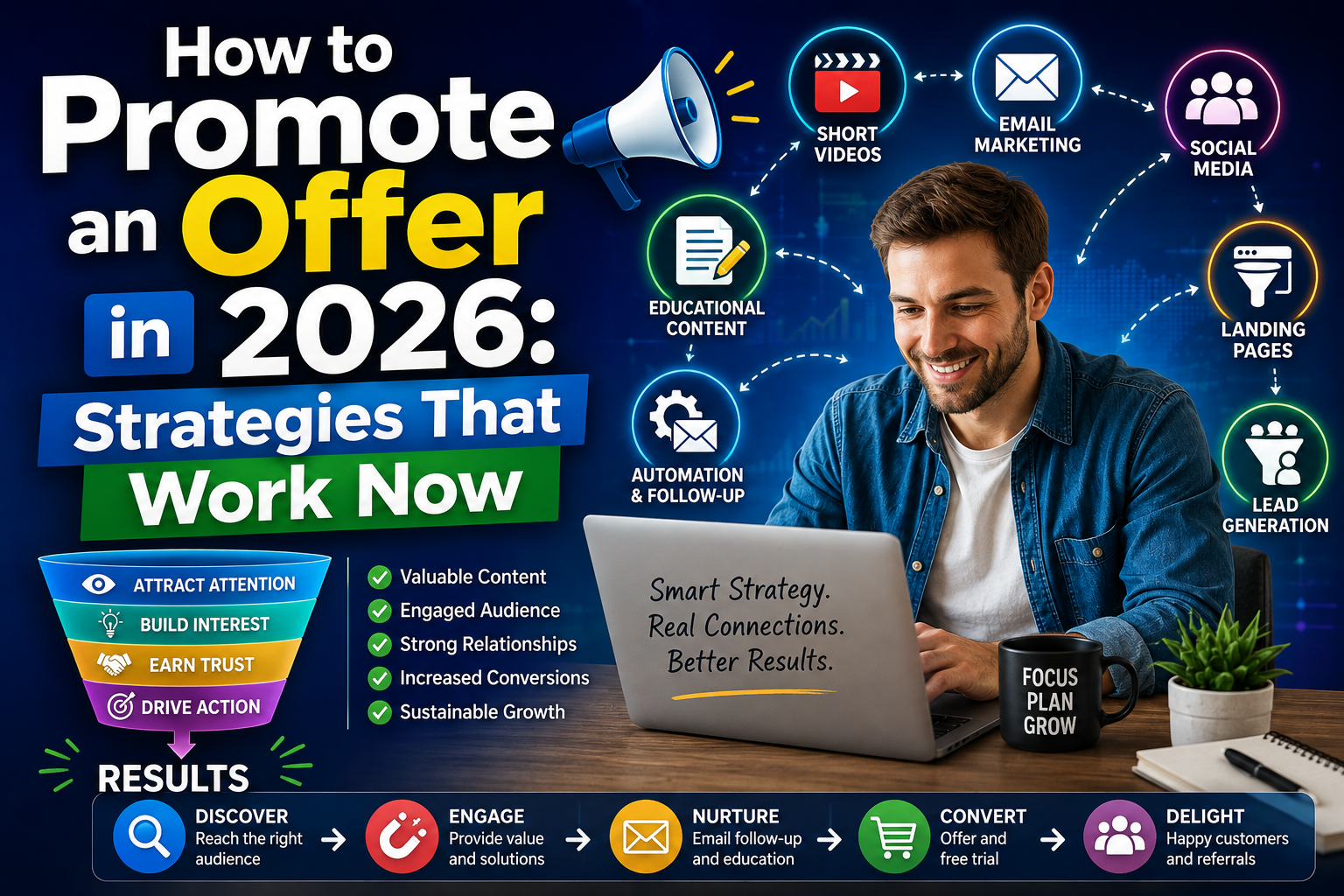
How to Promote an Offer in 2026: Strategies That Are Working Now

By Marvin Gandis

Promoting an offer online is no longer simply about posting a link repeatedly and hoping somebody buys.

Consumer behavior has changed.

People compare, research, watch, ask questions, and most importantly, look for signs of trust before making a decision.

That is why the strategies working best today combine education, useful content, demonstrations, follow-up, and relationships.

This applies especially to digital offers, affiliate programs, subscription services, data-protection tools, courses, memberships, and online business opportunities.

The right question is no longer:

“Where can I post my link?”

The better question is:

“How can I move someone from discovery to trust, and from trust to action?”


Promote the Problem Before the Product

One of the most common marketing mistakes is talking about the product too early.

The prospect may not know you yet.

They may not even understand why they need what you are offering.

That is why it often makes more sense to begin with the problem.

For example, if you promote a digital backup service, you could ask:

What would happen if you lost your phone today?

How many important photos exist on only one device?

Which documents would be difficult to replace if your computer stopped working?

These questions connect with a real concern.

When the prospect understands the problem, the solution begins to make sense.


Use Short Videos to Capture Attention

Short-form video continues to be one of the strongest ways to capture attention quickly.

Facebook Reels, Instagram Reels, YouTube Shorts, and similar platforms can help you reach people who do not know you yet.

The goal does not always have to be selling.

It can simply be teaching one useful idea.

Examples:

  • Three files you should back up today.
  • One mistake that could cost you your photos.
  • The difference between storage and backup.
  • What to do before replacing your phone.
  • How to protect important family documents.

A thirty-second video can create enough curiosity for someone to want more information.

Your call to action can be simple:

“If you want to see a practical way to protect your files, check the information below.”

You do not need to turn every video into a sales presentation.

First, earn attention.

Then build trust.


Build an Email List

One of the smartest decisions in digital marketing is building your own contact list.

Social media can help you gain visibility.

But the platform controls your reach.

Your email list gives you a direct way to continue communicating with people who voluntarily asked for more information.

A simple system could be:

Content → Landing Page → Email → Follow-Up → Offer

For example, you could offer:

Free Checklist: 7 Things You Should Protect Before Losing Your Files

The visitor enters a name and email address to receive it.

Then an automated sequence begins.

Now that visitor is no longer just a click.

They have become a prospect.


Educate Before You Sell

Educational marketing works because it lowers resistance.

Instead of saying:

“Buy this.”

You can say:

“Let me explain the problem and show you the available options.”

An educational series could cover:

  • What cloud backup is.
  • What redundancy means.
  • Which files families should protect.
  • How to reduce the risk of digital loss.
  • How to organize important documents.
  • The difference between storage and backup.
  • How data recovery works.

At the end of each piece, you can introduce your recommendation naturally.

The sale becomes a possible result of education rather than pressure.


Demonstrate the Product

One of the strongest forms of marketing is showing instead of merely telling.

Many people hesitate because they do not understand how a service works.

A demonstration can remove that barrier.

You could record your screen while showing:

  1. How to create an account.
  2. How to choose files.
  3. How to begin a backup.
  4. How to restore a document.
  5. How to share files.
  6. How to manage the service.

A demonstration provides something that traditional advertising often lacks:

credibility.

When people see the service working, they can imagine themselves using it.


Turn One Piece of Content Into Many

You do not need to invent completely new material every day.

One strong article can become:

  • A long-form video.
  • Five short videos.
  • Three Facebook posts.
  • An email.
  • An infographic.
  • A LinkedIn post.
  • A frequently asked questions section.
  • A message for an email list.

This is called content repurposing.

The advantage is significant.

You create one strong piece of content and distribute it through several channels.

That reduces workload while keeping your message consistent.


Use Real Stories

People often remember stories better than technical features.

A story might begin:

“Many families keep years of photos on one phone without ever thinking about what would happen if that device disappeared.”

Then you can explain the problem, reflection, and solution.

You can also tell your own reason for using or recommending a service.

You do not need to invent a disaster.

Authenticity is more persuasive.

Your story could simply be:

“I started taking file protection more seriously when I realized how much important information depended on one device.”

Stories create emotional connection.

Facts help justify the decision.

Both matter.


Participate in Communities Without Spamming

Groups and online communities can create excellent conversations.

But there is a major difference between participating and spamming.

A poor approach would be:

“Buy here.”

A better approach would be responding to a genuine question.

For example:

“A good practice is keeping more than one copy of important files. I use a backup solution for this myself. If you want, I can explain how I set mine up.”

That answer helps first.

Then it opens a conversation.

Permission-based selling generally feels far more natural than aggressive promotion.


Improve Your Facebook Strategy

Posting only promotional graphics can exhaust your audience.

A healthier mix might be:

60% education

20% conversation and stories

20% offers or invitations

Sample week:

Monday: Educational tip.

Tuesday: Question or poll.

Wednesday: Short video.

Thursday: Article.

Friday: Story or practical example.

Saturday: Invitation to explore the offer.

Sunday: Human, community, or inspirational content.

This allows your page to build relationships instead of looking like a nonstop sales board.


Use YouTube for Searchable Education

Short videos are excellent for discovery.

Longer educational videos work well when someone is actively looking for an answer.

Possible titles include:

How to Automatically Back Up Your Files

What Is Cloud Backup?

Where Should You Store Important Family Photos?

How to Avoid Losing Digital Documents

Cloud Storage vs. Cloud Backup

Searchable educational videos can continue attracting visitors for weeks, months, or longer.

That makes them digital assets rather than temporary posts.


Use Safelists More Intelligently

Safelists can still be used as additional traffic sources.

But instead of sending visitors directly to a long business presentation, it may be better to send them first to a simple landing page.

For example:

Safelist → Landing Page → Free Resource → Emails → Offer

Why?

Because many people who click are not yet ready to buy.

But they may be willing to download a useful guide.

Once you have permission to continue communicating with them, you can educate them over time.


Build a Follow-Up Sequence

Many sales do not happen during the first contact.

That is why follow-up matters.

A simple sequence could look like this:

Email 1 — Welcome

Deliver the free resource.

Email 2 — The Problem

Explain why relying on one copy can be risky.

Email 3 — Education

Explain what backup means.

Email 4 — Common Mistake

Discuss false confidence around digital storage.

Email 5 — Solution

Introduce the tool you use.

Email 6 — Demonstration

Show how it works.

Email 7 — Invitation

Invite the reader to try the service.

Once configured, that system can work automatically.


Promote the Trial Before the Sale

If the offer includes a free trial, it can often be easier to promote the experience rather than asking for an immediate purchase.

Instead of:

“Buy now.”

You can say:

“Try it and decide whether it is useful for you.”

Psychologically, that is a much smaller commitment.

Once the prospect experiences the product, they may understand its value more clearly.


Use Referral Marketing

A satisfied customer can become a source of new customers.

Instead of asking:

“Do you know anyone who wants a business opportunity?”

ask:

“Do you know someone else who would want to protect important photos or documents?”

The second question is based on a real need.

Not a financial pitch.

That often creates a much more natural conversation.


Separate the Product From the Business Opportunity

When an offer includes both a product and an income opportunity, avoid trying to explain everything at once.

That can overwhelm the prospect.

A cleaner strategy is to use two paths.

Customer Path

Problem → Education → Product → Trial → Customer

Business Path

Product → Experience → Recommendation → Referral Program → Opportunity

First, allow the person to understand the product.

Then, if there is interest, introduce the possibility of earning through referrals.

This reduces confusion.


Use a Landing Page With One Objective

A good landing page does not need to explain twenty things.

It should quickly answer:

What is this?

Why should I care?

What should I do next?

Example:

Protect Your Photos and Documents Before It Is Too Late

Discover a simple way to keep important digital files backed up.

Button:

See How It Works

Or:

Start the Trial

The clearer the objective, the less distraction you create.


Turn Frequently Asked Questions Into Content

Questions from prospects are an excellent source of marketing material.

Examples:

Do I need technical experience?

What types of files can I back up?

How much storage do I need?

What happens when I replace my computer?

Can my family use it?

Every question can become:

  • A video.
  • A post.
  • An email.
  • An article section.
  • A website page.

Your audience can tell you what content to create if you listen carefully.


Build Content Around Objections

Objections can also become content.

If someone says:

“I already use cloud storage.”

Create:

Cloud Storage and Backup: Are They the Same Thing?

If someone says:

“Nothing has ever happened to my files.”

Create:

Why Waiting Until You Lose Your Files May Be Too Late

If someone says:

“I am not good with technology.”

Create:

How to Start Backing Up Your Files Even If You Are Not Tech-Savvy

Every objection contains an educational opportunity.


Avoid Exaggerated Promises

This is particularly important when an offer includes an income opportunity.

Avoid claims such as:

“Guaranteed income.”

“Automatic money for everyone.”

“Get rich quickly.”

“Do nothing and get paid.”

A professional presentation should make it clear that results depend on many factors, including skill, consistency, effort, traffic, follow-up, and demand.

Credibility is more valuable than hype.


The Complete System

A modern promotional system can look like this:

Attention

Short videos, posts, articles, and referrals.

↓

Interest

Educational content and questions.

↓

Capture

Landing page.

↓

Relationship

Email.

↓

Education

Follow-up sequence.

↓

Demonstration

Video or presentation.

↓

Offer

Free trial or purchase.

↓

Experience

Product usage.

↓

Referrals

Recommendations.

↓

Opportunity

Affiliate or business presentation for interested people.

This is far more powerful than depending entirely on sending traffic straight to an affiliate link.


Conclusion: Promote Better, Not Simply More

The future of marketing does not necessarily belong to the person who publishes the most advertisements.

It belongs to the person who builds the smarter system.

People first need attention.

Then information.

Then trust.

Only after that are they truly prepared to make a decision.

That is why a strong strategy combines:

Content.

Education.

Video.

Email.

Demonstration.

Follow-Up.

Relationships.

Referrals.

The best promotion does not always look like advertising.

Often, it looks like a useful answer to a real problem.

When you accomplish that, you stop chasing people.

You create a path for the right people to discover your solution.

And that difference can completely change your marketing results.


Disclaimer

This article is provided for educational and informational purposes only. The marketing strategies discussed do not guarantee sales, income, or specific results. Outcomes may vary depending on the offer, audience, market conditions, content quality, investment, experience, and consistency. If you promote products through affiliate links, clearly disclose your commercial relationship and comply with applicable laws, advertising policies, and platform requirements.