Publicado en Affiliate Marketing, Artificial Intelligence, Digital Marketing, Email Marketing, Lead Generation, List Building, Marketing Automation, Network Marketing, Online Business

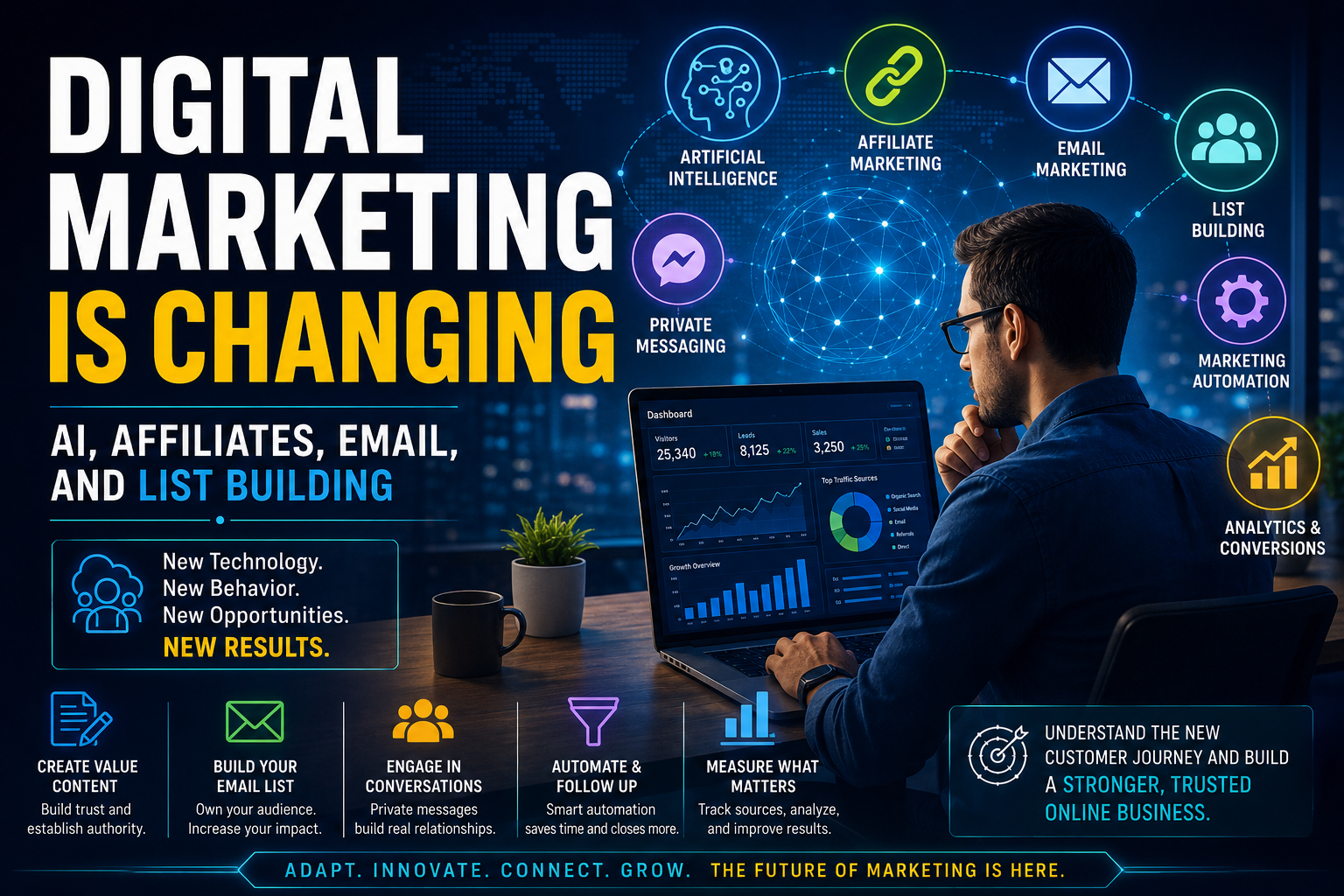
Digital Marketing Is Changing: Artificial Intelligence, Affiliate Tracking, Email, and List Building

By Marvin Gandis

Internet marketing is undergoing a major transformation. For years, many strategies depended on a relatively simple process: publish an advertisement, generate a click, send the visitor to a page, and attribute the sale to the last link used.

That model still exists, but it no longer fully represents how people discover products, research opportunities, and make decisions.

A prospect may now read an article, hear a recommendation, watch a video, consult an artificial intelligence tool, receive a private message, and return directly to a website several days later. When the person finally registers or makes a purchase, the tracking system may not correctly recognize the source of influence.

This change has significant consequences for people involved in digital marketing, affiliate marketing, list building, and network marketing.

Generating more clicks is no longer enough. Marketers must build authority, protect email deliverability, measure the customer journey more accurately, follow disclosure rules, and create content valuable enough to be discovered by both people and artificial intelligence systems.

This article examines the most important changes and presents practical actions for adapting to them.


1. Product Discovery No Longer Depends Only on the Click

In traditional affiliate marketing, the click was at the center of attribution.

A prospect found a post, clicked an affiliate link, visited the product page, and made a purchase. The system placed a cookie and assigned the commission to the appropriate affiliate.

Today, the journey is far more complicated.

A person may:

  • Discover a brand through an AI-generated answer.
  • See a post on Facebook.
  • Hear a recommendation from a friend.
  • Read a review several days later.
  • Search directly for the company’s name.
  • Register from another device.
  • Complete the purchase without using the original affiliate link again.

In this situation, the affiliate may have played a decisive role, but a last-click system may not recognize it.

Why it matters

Affiliate reports may show less influence than actually exists.

An educational campaign may be generating awareness, trust, and indirect sales even when the affiliate dashboard does not reflect all those results.

Affiliate links are still useful, but they should be supplemented with other measurement methods.

Practical action

Add a simple question to registration, contact, or free-trial forms:

How did you first hear about our service?

Possible options include:

  • Google
  • Facebook
  • YouTube
  • Email
  • An artificial intelligence tool
  • A friend or family member
  • Another source

Store this information in GetResponse, a tracking worksheet, or a contact-management system.

Over time, compare prospect responses with click and conversion statistics.


2. Tracking Failures Can Reduce Affiliate Commissions

A commission can be lost even when the sale is legitimate.

This may happen because:

  • The prospect uses an ad blocker.
  • The affiliate cookie expires.
  • The tracking link does not function properly.
  • The person moves from a phone to a computer.
  • Registration occurs several days after the initial click.
  • The prospect returns directly to the website.
  • Referral information is not preserved during a free trial.
  • A contact is entered manually without retaining the source.

This issue is especially important for programs that offer free trials.

The first click may happen on Monday, registration on Wednesday, and paid conversion the following week. When the system fails to preserve referral information throughout the journey, the affiliate may not receive credit.

Why it matters

Sending more traffic without testing the tracking process may increase visitors without increasing commissions.

A small technical failure can affect hundreds of visits without the promoter realizing it.

Practical action

Test every major funnel from beginning to end.

  1. Open the affiliate link on a mobile phone.
  2. Complete the form with a test email address.
  3. Confirm that the registration appears correctly.
  4. Verify that the referral source is preserved.
  5. Review the follow-up sequence.
  6. Repeat the test on a computer.
  7. Repeat it in a private browser window.
  8. Take screenshots and record the date.

When a discrepancy appears, document it and contact the company before investing additional money or effort in traffic.


3. Artificial Intelligence Is Changing Content Visibility

Articles are no longer written only for Google, Facebook, or email subscribers.

They may also be used as sources by artificial intelligence tools.

When someone asks:

  • How can I protect my personal files?
  • Is cloud storage worth paying for?
  • How do I build an email list?
  • How can I sell without applying pressure?
  • What should I know before joining a network-marketing opportunity?

An AI system may look for reliable, clear, and well-organized information when preparing its response.

This creates a major opportunity for educational content creators.

Content that may lose visibility

Shallow content will have a harder time standing out.

Weak formats include:

  • Articles created only to insert links.
  • Pages that copy promotional descriptions.
  • Posts without an identifiable author.
  • Exaggerated or unsupported content.
  • Text that is too general.
  • Reviews that offer no real analysis.
  • Mass-produced content without human experience.

Content that may gain authority

Useful, specific, and well-structured content has a better chance of being discovered and recommended.

A strong article should include:

  • A direct answer to a specific question.
  • Clear examples.
  • Benefits and limitations.
  • Frequently asked questions.
  • Author information.
  • Publication or update date.
  • Reliable sources when needed.
  • A clear affiliate disclosure.
  • An honest call to action.

Practical action

Publish articles that answer specific questions instead of covering only broad subjects.

For example:

What Happens to Your Family Photos and Documents When a Computer Fails?

This title addresses a real concern and creates space to explain the risk, available solutions, and the importance of backups without beginning with a sales presentation.


4. Private Messaging Is Becoming More Important

Many business conversations begin publicly but end privately.

A person may discover a post on Facebook or Instagram, but ask serious questions through Messenger or WhatsApp.

Private messaging offers:

  • More personal responses.
  • Greater privacy.
  • Immediate communication.
  • Less public pressure.
  • Easy sharing of links and instructions.
  • Continuity across different stages of the process.

For network marketing, this can be highly effective when used respectfully.

The right approach

Messaging should begin with consent and usefulness.

A proper sequence may look like this:

Educational post → request for information → private message → resource delivery → follow-up question → permission to present the opportunity

Deliver what was promised first. Begin the conversation afterward.

The wrong approach

Messaging becomes harmful when it is used to:

  • Send unsolicited mass promotions.
  • Copy the same message to dozens of people.
  • Immediately introduce an income opportunity.
  • Pressure the prospect.
  • Use exaggerated claims.
  • Continue messaging after the person has shown no interest.

Practical action

Create one consent-based path.

For example:

“I am preparing a free guide about protecting important files and family photographs. Reply GUIDE, and I will send it to you privately.”

After delivering the guide, ask:

“Which type of information are you most concerned about losing: photographs, documents, work files, or family records?”

That question begins a real conversation and helps identify the prospect’s need before introducing a solution.


5. Email Deliverability Remains Essential

Email continues to be one of the most valuable assets in digital marketing.

Social-media algorithms can change. Accounts can lose reach. Platforms can restrict content. A properly managed email list, however, provides a more direct relationship with subscribers.

That advantage depends on deliverability.

A message that does not reach the inbox cannot educate, build trust, or produce a sale.

Factors affecting deliverability

Important factors include:

  • SPF authentication.
  • DKIM signing.
  • DMARC policy.
  • Domain reputation.
  • Spam complaints.
  • Old or purchased lists.
  • Inactive contacts.
  • Sudden sending-volume increases.
  • Misleading subject lines.
  • Excessive links.
  • Poor-reputation domains included in messages.
  • Missing or unclear unsubscribe options.

Why it matters

Using GetResponse, AWeber, or another service does not automatically guarantee strong deliverability.

The platform may send the message, but domain reputation and list quality remain the campaign owner’s responsibility.

Practical action

Perform a basic audit:

  1. Confirm that the domain has SPF.
  2. Activate DKIM.
  3. Publish DMARC.
  4. Review sender-domain alignment.
  5. Test the unsubscribe link.
  6. Remove invalid addresses.
  7. Separate active and inactive subscribers.
  8. Reduce mailings to people who never open.
  9. Monitor bounce and complaint rates.
  10. Avoid sudden changes in sending volume.

6. Building a List Is Still More Important Than Accumulating Followers

A social-media follower is not the same as an email subscriber.

The platform controls reach, algorithms, and visibility. An owned list provides greater control, although it also requires greater responsibility.

List building should not depend only on offering a generic gift. The resource should solve a real problem and attract the kind of person who may later benefit from the marketer’s services.

Examples of strong lead magnets

  • A digital-file protection checklist.
  • A guide to starting an email list.
  • A follow-up plan for affiliate marketers.
  • A welcome-message template for new prospects.
  • A report on avoiding aggressive sales tactics.
  • A beginner’s network-marketing guide.
  • A simple deliverability audit.

What happens after registration

A common mistake is focusing only on collecting the email address.

The real value is created through the follow-up sequence.

A strong welcome sequence may include:

  1. Immediate resource delivery.
  2. A brief introduction to the author.
  3. An explanation of the main problem.
  4. One practical tip.
  5. A story or personal experience.
  6. An invitation to reply.
  7. A moderate introduction to the solution.
  8. Ongoing educational follow-up.

Practical action

Review the primary lead magnet and ask:

  • Does it solve a specific problem?
  • Does it attract the right prospect?
  • Is it delivered immediately?
  • Does the first week of follow-up provide value?
  • Is there a natural transition to the product?
  • Does the subscriber understand why future emails will arrive?

7. Affiliate Disclosures Must Be Clear

Transparency should not be viewed as an obstacle to selling.

A clear disclosure may strengthen trust because it demonstrates honesty.

Readers should understand that the promoter may receive compensation when they register or purchase through certain links.

A proper disclosure should be

  • Visible.
  • Easy to understand.
  • Located near the recommendation.
  • Written in the same language as the content.
  • Presented before the reader clicks.
  • Free of unnecessarily complicated legal language.

Example

“This article contains affiliate links. I may receive compensation if you enroll or make a purchase through one of these links, at no additional cost to you.”

Testimonials and results

Testimonials also require care.

They should not:

  • Guarantee results.
  • Present unusual earnings as typical.
  • Hide business relationships.
  • Invent experiences.
  • Edit statements misleadingly.
  • Use screenshots without context.

Practical action

Review articles, emails, landing pages, and social posts. Place the disclosure before or near the first commercial link and confirm that all testimonials are genuine, authorized, and presented in the proper context.


8. Educational Content Should Lead to a Next Step

Educational content should not become an endless collection of information without direction.

Every article, email, or video should help the prospect take an appropriate next step.

That step does not always have to be a purchase.

It may be:

  • Downloading a guide.
  • Answering a question.
  • Subscribing.
  • Watching a demonstration.
  • Trying a service.
  • Requesting more information.
  • Attending a presentation.
  • Comparing alternatives.
  • Reading a related article.

Why it works

People feel less pressure when the next step is small, clear, and logical.

Instead of requesting a major decision immediately, content can guide the prospect gradually.

Practical action

Use one primary call to action per article.

For example:

“Download the free checklist for protecting your photographs, documents, and important files.”

Avoid presenting too many competing choices.


9. Automation Should Support Human Relationships

Automation can deliver messages, classify contacts, and provide follow-up without depending entirely on manual work.

It should not pretend that a personal relationship exists when it does not.

Automation should be used to:

  • Deliver resources.
  • Confirm registrations.
  • Educate.
  • Remind.
  • Segment.
  • Identify interest.
  • Prepare a human conversation.

It should not be used to:

  • Invent urgency.
  • Send falsely personal messages.
  • Apply constant pressure.
  • Repeat the same promotion indefinitely.
  • Hide the fact that communication is automated.
  • Completely replace human attention.

Practical action

Review all automated responses and identify the exact moment when an interested prospect should receive personal attention.

Examples include when a person:

  • Replies to an email.
  • Clicks several times.
  • Completes a free trial.
  • Requests pricing.
  • Asks about the opportunity.
  • Repeatedly visits an important page.

10. The Strongest Strategy Combines Authority, a List, and Follow-Up

Sustainable digital marketing does not depend on a single platform.

A more resilient strategy combines:

  • Educational content.
  • Search visibility.
  • Artificial-intelligence visibility.
  • Social media.
  • Private messaging.
  • Lead-capture forms.
  • Email.
  • Personal follow-up.
  • Source measurement.
  • Transparent disclosures.

Each element has a purpose.

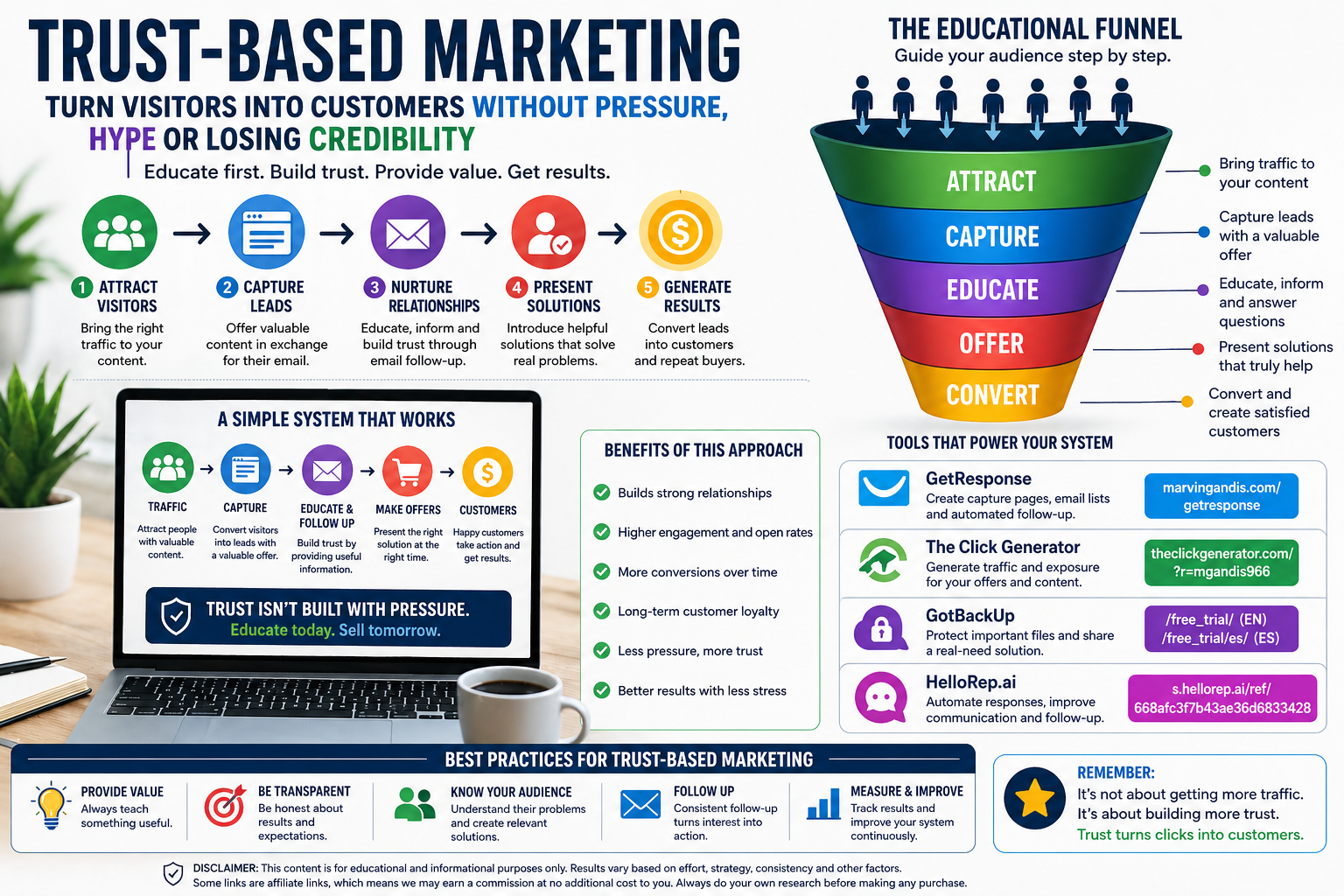
Content attracts.

The list preserves the relationship.

Email educates.

Messaging answers questions.

Follow-up converts.

Measurement reveals what is working.

Transparency protects trust.


Seven-Day Action Plan

Day 1: Review every link

Test each affiliate link, lead-capture page, and form.

Day 2: Audit email deliverability

Check SPF, DKIM, DMARC, bounces, and unsubscribe functions.

Day 3: Add the attribution question

Ask prospects how they first heard about the service.

Day 4: Improve the lead magnet

Make sure it solves a specific need.

Day 5: Review the welcome sequence

Confirm that it educates before selling.

Day 6: Publish an authority article

Answer one real and specific question.

Day 7: Create a path to conversation

Connect the article, form, email, and personal follow-up.


Conclusion

The future of digital marketing will not necessarily belong to the person who publishes the most, sends the most messages, or purchases the most traffic.

It will belong to the marketer who best understands the prospect’s journey.

People now discover opportunities through search engines, articles, videos, private conversations, personal recommendations, and artificial intelligence systems. This makes the process less visible, but it also creates new opportunities for those who consistently build trust.

The priorities are clear:

  • Create useful content.
  • Measure beyond the click.
  • Protect deliverability.
  • Verify tracking.
  • Build an owned list.
  • Obtain consent.
  • Disclose commercial relationships.
  • Automate without losing the human element.

Technology will continue to change.

The principles of trust, clarity, usefulness, and responsible follow-up will remain essential.


Disclaimer

This article is provided for educational and informational purposes only. It does not constitute legal, financial, or business advice. Email-provider rules, advertising-platform policies, and affiliate-program terms may change. Always review the official terms of each service and consult a qualified professional when necessary. Marketing, traffic, lead-generation, and commission results will vary.
Publicado en Artificial Intelligence, Automation, Business Tools, Digital Marketing,, Education, Online Business, Software Development, Technology

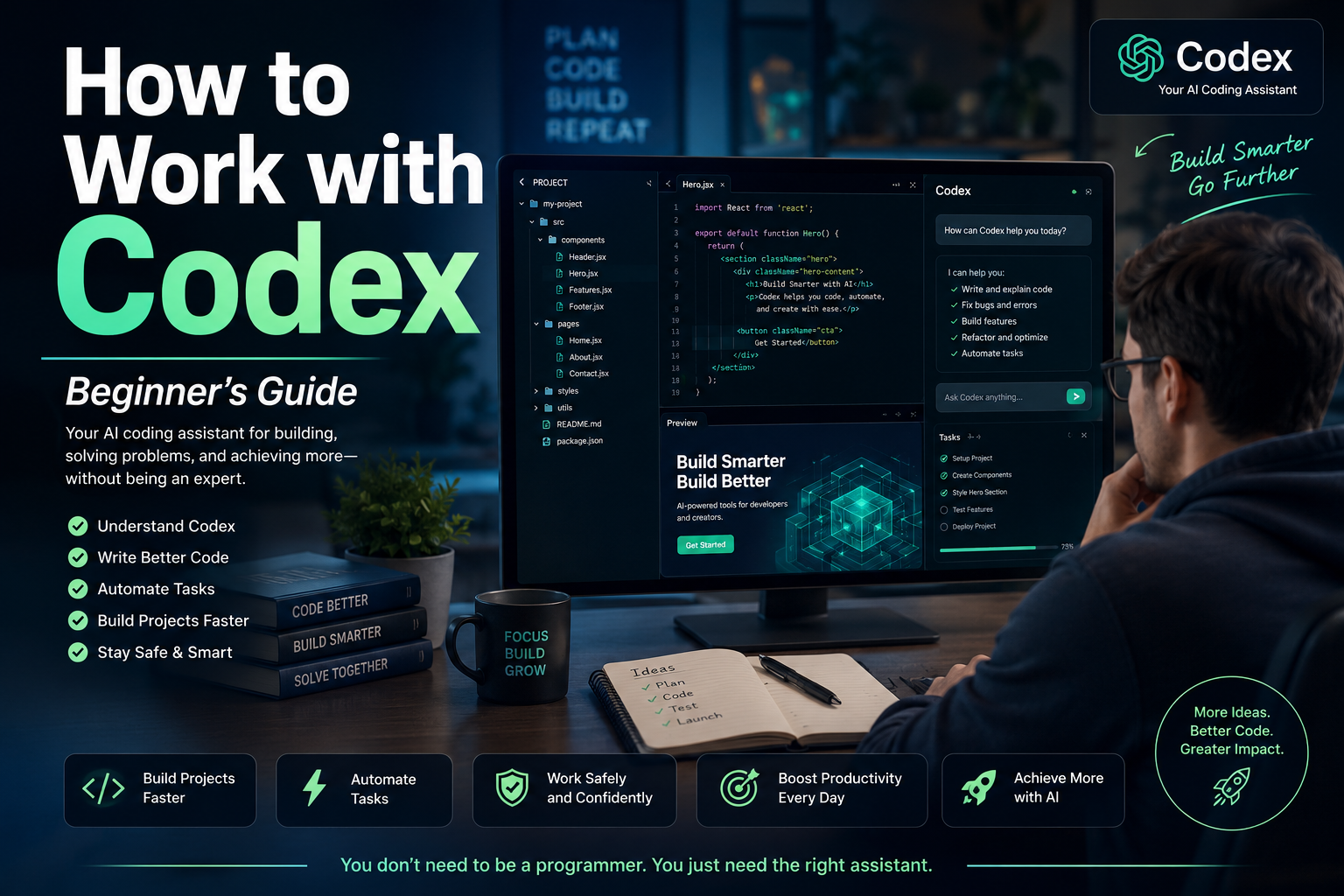
How and Why to Work with Codex: A Practical Guide to Getting Started

Artificial intelligence is changing how people create websites, develop applications, organize information, analyze data, and automate repetitive work. One of the most important tools in this transformation is Codex, OpenAI’s AI agent for working with software, files, projects, and technical workflows.

Codex is often described as a coding agent, but its usefulness is no longer limited to professional programmers. Entrepreneurs, digital marketers, content creators, analysts, consultants, and small-business owners can also use it to create practical tools, improve websites, examine project files, organize data, and automate recurring activities.

The key is understanding what Codex can do, how to communicate with it, and how to supervise its work responsibly.

What Is Codex?

Codex is an AI agent designed to help people write, understand, review, test, and improve software. It can examine the files inside an authorized project, understand how those files relate to one another, make coordinated changes, run commands, investigate errors, and explain the work it has completed.

Unlike a traditional chatbot that may give you a single piece of code to copy and paste, Codex can work with the structure of an entire project.

For example, instead of merely asking for a contact form, you could give Codex access to a practice website and instruct it to:

  • Add a contact form to the correct page.
  • Match the form to the existing design.
  • Validate the required fields.
  • improve the mobile layout.
  • Check that the form does not interfere with other page elements.
  • Explain every file that was changed.

OpenAI describes Codex as an AI coding agent that can help write, review, and ship code. It can work with local folders, Git repositories, development tools, terminals, editors, and cloud-based environments, depending on the way it is being used.

Why Should You Work with Codex?

1. It Helps Turn Ideas into Working Projects

Many people have valuable ideas, but do not know how to transform those ideas into functioning digital tools.

You may want to create:

  • A landing page
  • A lead-generation form
  • A simple calculator
  • A bilingual website
  • A campaign-link organizer
  • A customer-tracking dashboard
  • A content-planning tool
  • An email template manager
  • A basic membership area
  • A local SEO auditing tool

Codex can help transform a clearly explained idea into an organized project with actual files and working functionality.

You still need to define the purpose, audience, requirements, and limitations. However, you do not always need to know every programming command before beginning.

2. It Can Understand an Existing Project

One of the hardest parts of working with a website or application is discovering where everything is located.

A project may contain dozens or hundreds of files. One file may control the navigation, another may control the design, and several others may determine how forms, links, or data work.

Codex can inspect an authorized project and explain:

  • What the project appears to do
  • Which files are most important
  • Where the homepage is located
  • How the design is organized
  • Where a particular button or form is created
  • Which files may be responsible for an error
  • How the project can be tested locally

This can save time and reduce the confusion caused by changing the wrong file.

3. It Can Make Coordinated Changes

A simple modification may require changes in several places.

For example, adding a Spanish version of a website may require:

  • New Spanish pages
  • Updated navigation
  • A language selector
  • Correct internal links
  • Spanish SEO titles and descriptions
  • Revised image descriptions
  • Mobile-layout adjustments
  • Updates to shared headers and footers

Codex can examine the relationships among the files and make coordinated changes rather than treating each file as an isolated document.

4. It Can Find and Fix Problems

Codex can help investigate:

  • Broken buttons
  • Missing pages
  • Incorrect links
  • Form-validation problems
  • Layout issues
  • Repeated code
  • Installation failures
  • Configuration mistakes
  • Accessibility concerns
  • Test failures

The agent can inspect the relevant files, identify likely causes, propose a solution, and run available tests or commands to verify its work.

This does not guarantee that every answer will be correct. Human review and manual testing are still necessary. However, Codex can significantly accelerate the investigation process.

5. It Can Automate Repetitive Work

Many business activities follow predictable patterns.

A marketer may repeatedly need to:

  • Clean subscriber lists
  • Organize campaign information
  • Create tracking links
  • Check pages for missing SEO elements
  • Rename image files
  • Generate standardized reports
  • Convert data into a preferred format
  • Compare campaign results
  • Prepare recurring content structures

Codex can help create scripts or lightweight tools that perform these activities consistently.

OpenAI has also expanded Codex beyond traditional software development. Recent official materials describe its use in research, reports, data analysis, workflow automation, documents, spreadsheets, presentations, and lightweight business tools.

6. It Gives You Reviewable Changes

A responsible AI workflow should not hide what has been changed.

Codex can present file differences so that you can examine additions, removals, and modifications before accepting or publishing the result. The desktop experience supports project threads, reviewable changes, and parallel work in isolated project environments.

This is important because you remain responsible for the final result.

Who Can Benefit from Codex?

Codex is especially valuable for:

Developers

Developers can use it to write features, review code, create tests, repair bugs, perform migrations, improve documentation, and understand unfamiliar repositories.

Digital Marketers

Marketers can use it to create landing pages, analyze HTML, generate campaign tools, organize links, examine tracking implementations, and automate repetitive reporting.

Small-Business Owners

Business owners can use Codex to develop simple internal tools without immediately commissioning a large custom software project.

Content Creators

Creators can build article organizers, content databases, publishing checklists, metadata generators, or systems for managing bilingual content.

Analysts and Researchers

Codex can help process datasets, create repeatable analyses, organize research materials, and produce structured outputs.

Beginners

Beginners can use Codex to learn how projects are organized, understand unfamiliar code, and build small practice projects with detailed explanations.

However, beginners should start slowly and avoid giving an AI agent unrestricted access to critical business systems.

How to Start Working with Codex

Step 1: Choose How You Will Use It

Codex can be used through different environments, including the ChatGPT desktop experience, an editor integration, the command-line interface, and supported cloud workflows.

OpenAI’s current starting guidance instructs users to open Codex, sign in with their ChatGPT account, and select a local folder or Git repository where the agent will work.

For most beginners, the desktop experience is easier because it provides a visual interface for projects, conversations, approvals, file changes, and results.

The Codex desktop experience became available on macOS and Windows, and Codex has since been incorporated into the broader ChatGPT desktop application experience.

Step 2: Create a Safe Practice Folder

Do not begin by giving Codex access to the only copy of an important website.

Create a separate folder, such as:

  • codex-practice-project

Use that folder to test simple assignments. You could place a text file inside it containing a brief project description.

For example:

“This is a practice project for creating a simple bilingual digital-marketing landing page. Do not modify files outside this folder.”

Working in a separate folder gives you room to experiment without endangering an active business project.

Step 3: Start with a Small Project

Your first project should be easy to inspect manually.

A suitable beginning assignment would be:

“Create a responsive one-page website for a fictional digital-marketing service. Include a headline, an introduction, three benefits, a call-to-action button, and a footer. Use only HTML and CSS. Explain every file you create.”

A small project allows you to observe:

  • How Codex interprets instructions
  • How it organizes files
  • How it explains its work
  • How proposed changes are displayed
  • How you can request revisions
  • How testing is performed

Step 4: Ask Codex to Inspect Before Editing

When working with an existing project, begin with inspection.

Use an instruction such as:

“Inspect this project without changing anything. Explain what it does, identify the important files, and tell me which files would probably need to change to improve the homepage.”

This separates analysis from implementation.

Once you understand the plan, you can authorize a specific change.

Step 5: Give Complete Instructions

Codex performs better when your request includes five elements:

Context

Explain what the project is.

“This is a bilingual landing page promoting a secure cloud-backup service.”

Objective

State what you want accomplished.

“Improve the page so visitors understand the service and feel comfortable beginning a free trial.”

Requirements

List the elements that must be included.

“Add a clear headline, three benefits, a short trust section, a frequently asked questions section, and two calls to action.”

Restrictions

Explain what must not change.

“Do not change prices, affiliate links, tracking codes, form destinations, disclaimers, or product names.”

Verification

Tell Codex how to check the work.

“After making the changes, check the page for broken links, mobile layout problems, missing image descriptions, and HTML errors. Summarize every file modified.”

This structure reduces ambiguity and gives the agent a clear definition of success.

Step 6: Review the Plan

Before allowing major modifications, ask Codex to present a plan.

For example:

“Before changing any files, explain your approach and list the files you expect to create or modify.”

Review the plan carefully.

Make sure the agent understands:

  • The correct business objective
  • The correct target audience
  • The correct language
  • The files may change
  • The files it must preserve
  • The links must not alter
  • Whether publishing is allowed

For important projects, you should explicitly state:

“Do not publish, deploy, push, merge, send, or delete anything without my approval.”

Step 7: Review the File Changes

After Codex completes a task, examine the differences.

Look for:

  • Unexpected file deletions
  • Altered links
  • Rewritten prices
  • Modified legal language
  • Removed tracking codes
  • New external dependencies
  • Unfamiliar scripts
  • Changes outside the requested area
  • Placeholder text
  • Incorrect translations

Never approve changes simply because the agent says the task was successful.

Step 8: Test the Result

Ask Codex what it tested and then perform your own inspection.

For a website, manually test:

  • Navigation
  • Buttons
  • Forms
  • Mobile appearance
  • Desktop appearance
  • English and Spanish pages
  • Affiliate links
  • Download links
  • Contact information
  • Accessibility
  • Page loading

For a data tool, test it using a small copy of your data before using customer or business records.

Step 9: Save a Working Version

Use backups or version control.

Git is a system that records project changes. It allows you to compare versions and restore a previous state if a modification creates a problem.

Even without advanced Git knowledge, you can ask Codex to explain whether a project already uses Git and what the current status means.

However, do not allow the agent to push changes to a public repository or deploy a website until you understand and approve the result.

Step 10: Expand Gradually

Once your first project works, add one improvement at a time.

For example:

  1. Create the original landing page.
  2. Improve the mobile layout.
  3. Add the Spanish version.
  4. Add an FAQ section.
  5. Add an SEO checker.
  6. Add a campaign-link organizer.
  7. Add a simple reporting feature.

This gradual approach makes errors easier to identify and correct.

A Practical First Codex Project for a Digital Marketer

A useful beginner project would be a Bilingual Campaign Page Generator.

The tool could allow you to enter:

  • Campaign name
  • English headline
  • Spanish headline
  • Product description
  • Benefits
  • Call-to-action text
  • Destination URL
  • SEO title
  • Meta description
  • Image title
  • Alternative text
  • Caption
  • Disclaimer

The tool could then generate organized English and Spanish page files.

A first Codex instruction might be:

“Create a simple local bilingual campaign-page generator using HTML, CSS, and JavaScript. The user should be able to enter English and Spanish marketing information and generate a preview. Do not use external libraries. Keep all information inside the browser and do not transmit data anywhere. Explain how to open and use the project.”

This project is practical, relatively easy to inspect, and directly connected to online marketing work.

Important Safety Practices

Protect Passwords and Private Keys

Never paste passwords, payment credentials, private API keys, secret tokens, or customer information into an instruction unless you fully understand the security environment and the information is genuinely required.

Use placeholder values during development whenever possible.

Use Copies of Important Data

Test scripts on copied data, not on your only business records.

Limit the Working Folder

Give Codex access only to the project it needs.

Require Approval for Sensitive Actions

Be careful with commands that install software, delete files, change permissions, connect to external services, publish websites, or modify databases.

Review Legal and Marketing Claims

Codex may help write text, but you are responsible for verifying prices, guarantees, earnings claims, testimonials, privacy statements, and disclaimers.

Maintain Human Oversight

AI agents can misunderstand requirements, make incorrect assumptions, or create code that appears functional but contains hidden problems.

Human review is not an optional final step. It is part of the process.

Common Beginner Mistakes

Asking for Too Much at Once

“Build my entire online business” is too broad.

A better instruction is:

“Create the first version of a responsive lead-capture landing page using placeholder form information.”

Giving Vague Instructions

“Make the site better” does not define what better means.

Specify whether you want improved clarity, speed, credibility, accessibility, mobile layout, or conversions.

Failing to State Restrictions

When important elements must remain unchanged, say so explicitly.

Approving Changes Without Testing

A completed task is not automatically a correct task.

Using Live Business Data Too Soon

Practice with sample data before using real subscriber, customer, financial, or campaign information.

Allowing Automatic Publishing

Keep publishing and deployment under manual control while you are learning.

A Simple Codex Workflow

A reliable workflow can be summarized in seven stages:

Inspect → Plan → Authorize → Implement → Review → Test → Publish

Inspect

Understand the existing project.

Plan

Define the intended changes.

Authorize

Approve only the specific work you understand.

Implement

Let Codex complete the authorized task.

Review

Examine every important change.

Test

Verify the result with automated and manual checks.

Publish

Release the result only after final human approval.

Final Reflection

Codex is not valuable merely because it can write code quickly.

Its real value is that it can help people move from an idea to an organized, testable, and reviewable project. It can explain unfamiliar systems, coordinate changes across files, investigate problems, and create tools that reduce repetitive work.

However, the quality of the result depends heavily on the quality of the instruction and the discipline of the person supervising the agent.

The best way to begin is not by attempting an enormous project. Start with a safe folder, a small objective, clear restrictions, and a result you can test yourself.

You do not need to become an expert programmer before using Codex. You need to become a thoughtful director of the work.

When you provide clear context, specific requirements, reasonable boundaries, and careful review, Codex can become more than a code generator. It can become a practical collaborator for building, improving, and organizing your digital work.


Disclaimer

This article is provided for general educational and informational purposes only. It does not constitute technical, legal, cybersecurity, financial, or professional advice.

Features, availability, usage limits, interfaces, pricing, and system requirements associated with Codex, ChatGPT, OpenAI products, third-party software, and development platforms may change over time. Readers should consult the current official documentation before installing software, connecting repositories, granting file access, executing commands, or making business decisions.

Artificial intelligence can produce incomplete, incorrect, insecure, or unsuitable results. All generated code, commands, files, translations, marketing claims, links, configurations, and recommendations should be reviewed and tested by a qualified person before being published or used in a live environment.

Never expose passwords, customer information, payment credentials, private API keys, confidential documents, or sensitive business data unnecessarily. Maintain secure backups and use copies of important files when testing.

The author and publisher assume no responsibility for losses, errors, security incidents, damaged files, interrupted services, business outcomes, or other consequences resulting from the use or misuse of the information presented in this article. Use Codex and related tools responsibly and at your own discretion.