
Publicado en Education, Life Reflections, Mindset, Motivation, Personal Development, Personal Growth, Personal Leadership, Wisdom

Enter This Day Ready to Listen, Reconsider, and Learn

Wisdom begins when we accept that we still have something to learn

By Marvin Gandis

Enter this day ready to listen, reconsider, and learn, because wisdom begins when we have enough humility to recognize that our knowledge may still be incomplete.

Every morning offers another opportunity. We can begin the day convinced that we already know enough, holding tightly to our opinions, experiences, and previous conclusions. Or we can begin with a different attitude: a willingness to listen before responding, examine before judging, and learn before assuming that we already have all the answers.

True wisdom is not knowing everything.

Very often, wisdom begins by recognizing how much there still is to discover.

The person who believes there is nothing more to learn gradually begins closing the doors to personal growth. The person who remains teachable, however, can discover valuable lessons in people, places, and circumstances they never expected.

Not knowing everything is not a weakness

We live in a time when people often feel enormous pressure to have immediate answers.

In conversations, social media, workplaces, and even our families, people may feel that they must constantly defend their opinions. Changing your mind can mistakenly be interpreted as insecurity. Saying, “I don’t know,” can feel uncomfortable.

But acknowledging our limitations does not reduce our value.

Statements such as:

“Perhaps I need to research this further.”

“There may be another perspective I haven’t considered.”

“I could be wrong.”

“I want to listen before reaching a conclusion.”

are signs of maturity, not weakness.

A wise person does not need to pretend to possess unlimited knowledge. They have enough inner confidence to admit that there is still more to learn.

Listening is different from simply hearing

Many times we believe we are listening when we are actually waiting for our turn to speak.

While another person explains their perspective, our minds are preparing a response, defense, or argument.

True listening requires something different.

It means paying attention without immediately turning the conversation into a competition.

It means asking:

  • What is this person actually trying to communicate?
  • What experiences may have shaped their perspective?
  • Is there something in what they are saying that deserves consideration?
  • Is there information I do not yet have?
  • What can I learn from this conversation?

Listening does not mean automatically agreeing with everything another person says.

We can listen carefully and still disagree.

But there is an enormous difference between rejecting something after carefully considering it and rejecting it simply because it challenges what we already believe.

Reconsidering does not mean abandoning your principles

Having an open mind does not require living without convictions.

There are principles, values, and truths that may be deeply important to us.

Intellectual humility does not require accepting every idea. It asks us to possess enough maturity to examine our conclusions honestly.

We can ask:

Why do I believe this?

Is my conclusion based on evidence, experience, tradition, emotion, or simply habit?

Is there new information that I should consider?

Am I defending truth, or am I defending my pride?

These are difficult questions, but powerful ones.

Some convictions will become stronger after examination.

Others may require adjustment.

And some may need to be abandoned because we discover that they were built on incomplete information.

That process is growth too.

The danger of believing we are always right

When someone begins believing they are always right, something dangerous usually happens: they stop learning.

Every disagreement becomes a threat.

They no longer listen to understand; they listen to refute.

They no longer ask questions to discover; they ask questions to confirm what they already believe.

They no longer search for information; they search for validation.

This can happen to anyone regardless of age, education, profession, or experience.

Even many years of experience can become a disadvantage when we begin saying:

“We’ve always done it this way.”

The world changes.

Technology changes.

Business changes.

People change.

Circumstances change.

Our knowledge must continue growing as well.

Experience is extremely valuable, but only when it remains connected to a willingness to learn.

Humility protects our intelligence

Humility does not mean thinking less of ourselves.

It means recognizing honestly both what we know and what we do not yet know.

A humble person can possess enormous knowledge and continue asking questions.

They can have decades of experience and learn something from someone younger.

A leader can learn from the people they lead.

A teacher can remain a student.

Someone can discover a useful idea even from a person with whom they frequently disagree.

This type of humility expands our intelligence because it keeps the doors of learning open.

We can learn from unexpected people

One of our greatest mistakes is deciding in advance who is qualified to teach us something.

Sometimes we reject an idea because of another person’s age, education, profession, appearance, economic position, or background.

Yet an important lesson can come from almost anywhere.

A child can teach us simplicity.

An older person can teach us patience.

Someone who failed can teach us which mistakes to avoid.

A beginner can ask a question that an expert stopped asking years ago.

Someone with a completely different worldview may reveal an angle we had never considered.

If we only listen to people who already think exactly as we do, we may simply reinforce our existing ideas rather than expand our understanding.

Being right is not always the most important thing

Some conversations are destroyed because both people are more interested in winning than understanding.

That raises an important question:

What am I trying to accomplish through this conversation?

Understanding?

A solution?

Learning?

Peace?

Or merely proving that I am right?

There are times when defending a position is necessary. But there are also times when winning an argument can mean losing a relationship, an opportunity, or a lesson.

Wisdom recognizes the difference.

Changing your mind can also be progress

One of the clearest signs of growth is being able to say:

“I used to think this way, but after learning more, I now see it differently.”

That does not necessarily mean we were foolish before.

It means we now possess information we did not have before.

Knowledge should influence our conclusions when better evidence becomes available.

If we never change a single opinion throughout our entire lives, we might reasonably ask whether we are truly learning.

Growth means allowing new information to refine our thinking.

A question that can transform a conversation

When someone presents a viewpoint different from ours, before responding, we can ask a remarkably powerful question:

“What are you seeing that I might not be seeing yet?”

That question changes the conversation.

We are no longer fighting for positions.

We are seeking understanding.

Another useful question is:

“What would need to be true for me to reconsider my position?”

If our answer is “nothing,” perhaps we are no longer searching for truth. We may simply be protecting a conclusion.

Wisdom also requires discernment

Keeping an open mind does not mean believing everything we hear.

We also need discernment.

We should learn how to verify information, examine arguments, recognize reliable sources, and distinguish among facts, opinions, interpretations, and rumors.

A healthy approach can be summarized like this:

Listen respectfully.

Ask curiously.

Examine carefully.

Verify when necessary.

Decide wisely.

Humility and discernment are not enemies.

They work best together.

Five practices for beginning each day with a teachable mind

1. Ask a question before making a statement

Try to understand before explaining your own position.

2. Look for one new idea every day

It may come from a book, conversation, experience, article, mistake, or observation.

3. Examine one of your own opinions

Ask yourself why you hold it and whether it still makes sense.

4. Listen to someone you usually disagree with

Not necessarily to change your mind, but to understand their perspective.

5. End the day by asking what you learned

If every day leaves us with even one small lesson, we are growing.

Three questions to practice throughout your day

Whenever you face a decision, conversation, or disagreement, ask:

What do I actually know?

What am I assuming?

What information might I be missing?

These three questions can prevent mistakes, unnecessary conflict, and premature conclusions.

Pride wants answers; wisdom also asks questions

Pride says:

“I already know.”

Wisdom asks:

“What else do I need to understand?”

Pride says:

“I don’t need to listen.”

Wisdom says:

“There may be something here I can learn.”

Pride needs to win.

Wisdom needs to understand.

Pride protects appearances.

Wisdom pursues growth.

A teachable mind never grows old

We can accumulate years without necessarily accumulating wisdom.

Age brings experience, but experience becomes wisdom only when we reflect upon it.

That is why we should never assume that we have reached the end of learning.

As long as there is life, there will be more to discover.

New people.

New questions.

New challenges.

New technologies.

New experiences.

New opportunities to understand the world—and ourselves—more clearly.

Final Reflection

Enter this day ready to listen.

Someone may say something you need to consider.

Enter ready to reconsider.

A conclusion you have carried for years may need a small correction.

Enter ready to learn.

The most important lesson of your day may come from the person or situation you least expected.

You do not have to diminish what you already know.

You simply need to keep open the possibility that there is still something more to discover.

Because one of the deepest expressions of wisdom is being able to say:

“I know many things, but I still do not know everything.”

And that is exactly where lifelong learning begins.

Thought for Today

Enter this day ready to listen, reconsider, and learn, because wisdom begins when we have enough humility to recognize that our knowledge may still be incomplete.

Reflection Question

What belief, opinion, or conclusion would you be willing to reconsider today if you discovered new information worthy of your attention?


Disclaimer

This article is intended for educational, reflective, and motivational purposes only. Its goal is to encourage personal growth, respectful listening, critical thinking, and lifelong learning. It is not intended to replace professional psychological, medical, legal, financial, or other specialized advice. Readers should evaluate the ideas presented according to their own circumstances, values, experiences, and individual needs.

Publicado en Career Development, Community Resources, Education, Employment, Las Vegas Living, Personal Finance

How to Get a Job in Las Vegas When You Are New to the City

A step-by-step guide and practical employment protocol

Moving to a new city can create a mixture of hope, excitement, concern, and uncertainty. When that city is Las Vegas, many people assume that finding work will be easy because hotels, casinos, restaurants, stores, convention centers, warehouses, hospitals, and service businesses are everywhere.

However, a city with many opportunities also attracts thousands of applicants. Being willing to work is important, but it may not be enough. To get hired, you need preparation, proper documents, discipline, professional presentation, and a job-search system you can repeat every day.

This guide explains what to do from the moment you arrive in Las Vegas until you receive a job offer.


1. Understand the Las Vegas job market

Las Vegas is internationally known for tourism, casinos, and entertainment, but its economy extends far beyond the Strip.

Employment opportunities may be found in:

  • Hotels and resorts
  • Restaurants, cafés, and food service
  • Casinos and entertainment
  • Conventions, events, and trade shows
  • Retail
  • Housekeeping and maintenance
  • Security
  • Construction
  • Transportation and logistics
  • Warehouses and distribution
  • Hospitals and healthcare services
  • Offices and call centers
  • Sales and customer service
  • Technology and digital services
  • Local government and education
  • Temporary and contract work

When you are new to the city, your first job does not have to be your perfect job. It can be the bridge that helps you become financially stable, develop local references, meet people, and later move into a better position.


2. Define your objective before applying

A common mistake is applying everywhere without a clear direction.

Before completing applications, answer these questions:

  • What type of work can I perform immediately?
  • What experience do I have?
  • Which skills can I prove?
  • Can I work nights, weekends, or holidays?
  • Do I have reliable transportation?
  • Do I need full-time or part-time work?
  • What is the lowest wage I can realistically accept?
  • How far can I travel every day?
  • Do I need to begin immediately?

Choose three employment categories:

Primary option

The job you genuinely want and are qualified to perform.

Alternative option

A related position you can perform while pursuing a better opportunity.

Immediate option

An entry-level, temporary, or fast-hiring job that can provide income quickly.

This system prevents you from depending on one opportunity.


3. Organize your documents

Before applying, create a physical folder and a secure digital folder containing your essential documents.

U.S. employers must verify the identity and employment authorization of every person they hire through Form I-9. Applicants present acceptable documentation according to the official requirements and should not assume that one particular document will always be sufficient.

Prepare the following when applicable:

  • Valid identification
  • Legal employment-authorization documents
  • Social Security documentation, when applicable
  • Driver’s license
  • Current residential address
  • Active telephone number
  • Professional email address
  • Occupational licenses or certificates
  • Previous employment history
  • Professional references
  • Copies of relevant diplomas or training certificates

Do not give original documents to unknown individuals or send confidential information before verifying that the company and position are legitimate.


4. Establish reliable identification and an address

Having valid identification, a mailing address, and a working telephone number makes the hiring process easier.

First-time applicants for a Nevada license or identification card must provide acceptable proof of identity and residency. Nevada Real ID requirements include specific documentation such as proof of identity, Social Security number when applicable, and two proofs of Nevada residential address. Review the official requirements before visiting an office.

Depending on the transaction, useful proof-of-residency documents may include:

  • A lease agreement
  • Utility bill
  • Bank statement
  • Official correspondence
  • Documentation from a recognized institution

Use your legal name consistently on applications, documents, and employment accounts.


5. Create a professional email address

Avoid email addresses containing jokes, confusing numbers, or informal nicknames.

A professional address can follow this format:

firstname.lastname@email.com

Check your inbox every day, including spam and promotions folders. Employers frequently send interview invitations, forms, and screening instructions by email.

Use a simple signature:

First and last name
Telephone number
Las Vegas, Nevada


6. Prepare a Las Vegas–ready résumé

Your résumé should be clear, brief, and easy to scan. For many entry-level and mid-level positions, one or two pages are usually appropriate.

Include:

Heading

  • Full name
  • Las Vegas, Nevada
  • Telephone number
  • Professional email

Your full street address is generally unnecessary.

Professional summary

Write two to four lines describing:

  • Your experience
  • Your strongest abilities
  • The position you want
  • Your availability

Example:

Dependable customer-service professional experienced in assisting the public, resolving problems, and working in fast-paced environments. Available for flexible schedules, weekends, and evening shifts.

Employment history

For each job, include:

  • Company name
  • City and state
  • Position
  • Approximate dates
  • Three or four responsibilities or accomplishments

Begin your statements with strong verbs:

  • Assisted
  • Organized
  • Coordinated
  • Supervised
  • Increased
  • Reduced
  • Prepared
  • Maintained
  • Resolved

Skills

Choose abilities related to the position:

  • Customer service
  • Cash handling
  • Sales
  • Housekeeping
  • Inventory
  • Computer skills
  • Microsoft Office
  • Teamwork
  • Bilingual communication
  • Conflict resolution
  • Food preparation
  • Driving
  • Organization

Never claim skills or credentials you do not possess.


7. Create multiple résumé versions

Do not submit the same résumé to every employer.

Prepare at least three versions:

  1. Customer service, hotel, and casino positions
  2. Warehouse, maintenance, and physical-work positions
  3. Office, sales, and administrative positions

Adjust the summary, skills, and selected experience to match each job description.

Hiring systems may search for terms contained in the employer’s announcement. Use relevant wording from the posting when it accurately describes your real experience.


8. Register with Nevada workforce resources

EmployNV is Nevada’s state workforce system. It provides tools for finding jobs, creating résumés, exploring training, and connecting with employment services. Nevada’s Department of Employment, Training and Rehabilitation also supports Career Hubs and other workforce programs.

Explore:

  • Career counseling
  • Résumé workshops
  • Interview preparation
  • Hiring events
  • Training programs
  • Job referrals
  • Assistance with work-related credentials or materials

Nevada’s Career Enhancement Program may help certain eligible job seekers with training and employment-related expenses, potentially including certifications, permits, uniforms, or small tools. Eligibility must be confirmed directly with the program.


9. Build a target-company list

Do not depend exclusively on large online job boards.

Create a list of 25 to 50 companies where you may want to work. Organize them by industry.

Hotels and casinos

Visit each company’s official career page.

Restaurants

Consider hotel restaurants, independent businesses, chains, cafés, banquet services, and commercial kitchens.

Conventions and events

Research convention facilities and companies providing production, setup, security, cleaning, and temporary event personnel.

Hospitals and healthcare

Search hospitals, clinics, rehabilitation centers, senior-care facilities, and medical-service companies.

Warehousing and distribution

Research logistics centers, delivery businesses, distributors, and staffing agencies.

Government and education

Review official employment pages for the state, county, cities, school districts, and educational institutions.

Whenever possible, apply through the official company website.


10. Follow a daily job-search protocol

Treat finding a job as a job.

Recommended Monday-through-Friday schedule

8:00 a.m. — Review communications

  • Email
  • Missed calls
  • Voicemail
  • Interview invitations

8:30 a.m. — Search for recent openings

Prioritize newly posted positions that closely match your qualifications.

9:30 a.m. — Customize applications

Adjust your résumé and complete each application carefully.

11:30 a.m. — Follow up

Contact employers where you applied three to seven days earlier, unless the posting asks candidates not to call.

1:00 p.m. — Attend events or make professional contacts

Visit hiring events, employment centers, or businesses that accept in-person applications.

3:00 p.m. — Improve your skills

Practice interviewing, improve your résumé, or complete short training.

4:00 p.m. — Record your results

Update your job-search tracking sheet.

A practical goal may be five to ten strong, customized applications each day. Fifty generic applications are not necessarily more effective than ten carefully targeted ones.


11. Track every application

Use a notebook or spreadsheet with these columns:

  • Company
  • Position
  • Application date
  • Where the position was found
  • Contact person
  • Telephone or email
  • Application status
  • Follow-up date
  • Interview date
  • Outcome

This record prevents you from forgetting opportunities or answering a recruiter’s call without remembering the job.

When contacted, you should be able to say:

Yes, I applied for the customer-service representative position on Tuesday. Thank you for contacting me.

That response demonstrates organization and genuine interest.


12. Use staffing agencies intelligently

Staffing agencies can provide temporary, contract, and fast-hiring opportunities.

Before registering:

  • Research the agency’s reputation
  • Confirm that it has a legitimate address and contact information
  • Read documents carefully
  • Ask who your legal employer will be
  • Confirm the pay, location, schedule, and assignment duration
  • Ask whether the position is temporary or may become permanent

A legitimate agency should explain the arrangement clearly. Be cautious of anyone demanding a large upfront payment in exchange for guaranteeing employment.


13. Build a local network from your first day

Many opportunities are found through referrals.

As a new resident, begin developing healthy professional connections.

Speak with:

  • Neighbors
  • Former coworkers
  • Family members
  • Church or community members
  • Teachers and instructors
  • People in your industry
  • Professional associations
  • Local business owners

Do not ask only:

Do you know of any jobs?

Be specific:

I am looking for customer-service, hotel, or front-desk work. I have experience assisting the public, I speak English and Spanish, and I am available on weekends. Do you know of a company that may be hiring?

A specific request is easier for others to remember.


14. Prepare for Las Vegas schedules

Las Vegas operates around the clock.

Many positions may require:

  • Overnight shifts
  • Early mornings
  • Weekends
  • Holidays
  • Rotating schedules
  • Overtime
  • Shift changes

Flexible availability may provide an advantage during your first weeks.

However, accept only a schedule you can maintain consistently. Do not promise unlimited availability when you have transportation, family, medical, or educational restrictions.


15. Solve your transportation problem

Before applying, calculate:

  • Distance from your residence
  • Travel time
  • Public-transit hours
  • Daily cost
  • Route safety
  • Transportation options after a night shift

Make a test trip before your interview.

Never arrive late because you assumed the location was nearby. Two places may look close on a map but require considerable travel time because of traffic, parking, large resort properties, or the distance between entrances.


16. Research permits and certifications

Certain jobs may require occupational cards, permits, or certifications involving food service, alcohol service, security, driving, or other responsibilities.

Do not assume every job has the same requirements.

Before paying for a credential:

  1. Read the official job description.
  2. Ask the employer what credential is required.
  3. Confirm which agency issues it.
  4. Verify the cost and renewal rules.
  5. Avoid unofficial websites that imitate government agencies.

Some employers allow candidates to apply first and obtain the credential after a conditional offer. Others require it before considering the application.


17. Practice interviewing

Prepare answers for common questions:

  • Tell me about yourself.
  • Why do you want to work here?
  • What do you know about our company?
  • What is your availability?
  • How do you handle a difficult customer?
  • Why did you leave your previous job?
  • What are your strengths?
  • What would you do after making a mistake?
  • Can you work under pressure?
  • When can you begin?

Keep answers positive and focused.

The STAR method

For questions about past situations, organize your answer this way:

  • Situation: What happened?
  • Task: What was your responsibility?
  • Action: What did you do?
  • Result: What did you accomplish or learn?

Example:

A customer was upset about an incorrect order. I listened carefully, confirmed the mistake, coordinated a prompt solution, and remained respectful. The issue was resolved, and the customer thanked us for the assistance.


18. Present yourself professionally

You do not need expensive clothing, but you should demonstrate cleanliness, order, and respect.

Before the interview:

  • Attend to personal hygiene
  • Wear clean, appropriate clothing
  • Avoid excessive perfume or cologne
  • Bring several résumé copies
  • Carry a pen and notebook
  • Silence your telephone
  • Arrive 10 to 15 minutes early
  • Treat everyone respectfully

The receptionist, security officer, or assistant may also share an impression of you.


19. Explain that you are new to the city properly

Being new to Las Vegas does not have to appear negative.

Do not say:

I just arrived, and I am desperate for anything.

Instead, say:

I recently relocated to Las Vegas and am establishing my career here. I have customer-service experience and am available to begin immediately.

This communicates stability, direction, and confidence.

When you do not yet have local references, use former supervisors, clients, teachers, or professional contacts who can honestly discuss your work.


20. Follow up without becoming aggressive

After an interview, send a brief thank-you message within 24 hours.

Example:

Thank you for the opportunity to discuss the position. I appreciated learning more about the team and its responsibilities. I remain very interested in the role and am available to provide any additional information.

When you do not receive an answer, follow up on the date given by the interviewer or after several business days.

Do not call every day. Professional persistence is positive; excessive pressure can harm your candidacy.


21. Learn to recognize employment scams

A job offer may be suspicious when it:

  • Promises extraordinary income for very little work
  • Hires you without an interview or verification
  • Requires you to pay to receive the job
  • Requests banking information too early
  • Sends a check and asks you to return part of the money
  • Demands gift-card purchases
  • Uses unrelated personal email accounts
  • Provides no clear job description
  • Pressures you to act immediately
  • Requests sensitive documents through informal messages

Always verify:

  • The company’s official website
  • The recruiter’s email domain
  • The physical address
  • The recruiter’s identity
  • The existence of the actual position

Do not confuse a legitimate independent-contractor opportunity with traditional employment. Contractors and employees may have different tax documents and responsibilities, so understand the classification and payment arrangement before accepting.


22. Evaluate the offer before accepting

When you receive an offer, confirm the following in writing:

  • Job title
  • Hourly rate or salary
  • Schedule
  • Work location
  • Starting date
  • Supervisor’s name
  • Responsibilities
  • Available benefits
  • Probationary period
  • Uniform requirements
  • Employee-paid expenses
  • Conditions of employment

Ask when you will receive your first paycheck and how payroll works.

Do not leave another job or make major expenses based only on a verbal promise.


23. A 14-day employment protocol

Day 1

Organize your identification, documents, telephone, email, and address.

Day 2

Prepare your main résumé.

Day 3

Create two additional résumé versions.

Day 4

Register with EmployNV and reputable job sites.

Day 5

Select 25 target companies.

Day 6

Submit five to ten customized applications.

Day 7

Practice interviewing and prepare your clothing.

Day 8

Apply for new openings and review previous applications.

Day 9

Contact legitimate staffing agencies.

Day 10

Visit a Career Hub, hiring event, or community resource.

Day 11

Follow up on previous applications.

Day 12

Speak with five contacts and explain what type of work you need.

Day 13

Review responses, interviews, and rejections.

Day 14

Correct your strategy and begin another cycle.

After two weeks, do not simply say, “I could not find a job.”

Review your numbers:

  • How many applications did you submit?
  • How many were customized?
  • How many responses did you receive?
  • How many interviews did you obtain?
  • At what stage is the process breaking down?

When no one calls, improve your résumé or target better-matched positions.

When you receive interviews but no offers, practice your presentation and answers.

When you receive offers you cannot accept, adjust the position, schedule, location, or compensation you are targeting.


24. Emergency protocol when you need immediate income

When money is limited, divide your search into two tracks.

Track A: immediate income

Consider:

  • Temporary assignments
  • Warehouse work
  • Housekeeping
  • Event setup
  • Restaurant work
  • General labor
  • Customer service
  • Delivery or driving work when qualified
  • Seasonal positions

Track B: professional development

Continue applying for jobs that match your experience, education, or long-term career goal.

The immediate job pays current expenses. The professional search builds your future. Do not abandon the second track after accepting the first job.


25. What not to do

Avoid these mistakes:

  • Waiting for someone else to find a job for you
  • Applying to only one company
  • Lying on your résumé
  • Arriving late for interviews
  • Ignoring voicemail
  • Using an unprofessional email address
  • Criticizing former employers
  • Applying without reading the requirements
  • Accepting an offer without understanding the pay
  • Sharing documents with unknown people
  • Giving up after several rejections
  • Searching all day without tracking your activity

A rejection does not necessarily mean you have no value. Another candidate may have had more experience, better availability, a specific credential, or an internal referral.


26. Develop the right mindset

Moving to a new city requires patience and adaptability.

During your search:

  • Maintain a routine
  • Get up early
  • Dress like someone prepared to work
  • Protect your health
  • Control unnecessary spending
  • Learn something every day
  • Stay connected to positive people
  • Review your results weekly
  • Recognize small victories

Obtaining an interview is progress.

Improving your résumé is progress.

Making a professional contact is progress.

Completing a certification is progress.

A job offer may arrive after several weeks of quiet, disciplined effort.


Conclusion

Getting a job in Las Vegas when you are new to the city does not depend entirely on luck. It depends on having a protocol.

Organize your documents. Define your employment target. Prepare a professional résumé. Apply strategically. Use Nevada’s official workforce resources. Develop local contacts. Practice interviewing. Follow up professionally. Protect your information and learn from every result.

Your first Las Vegas job may not be your dream position, but it can be the beginning of a more stable life.

Do not arrive in the city expecting opportunity to knock on your door.

Prepare yourself, go looking for it, and demonstrate that you are ready to work.

Start today. Organize your documents, prepare your résumé, and submit your first application with a professional plan.


Disclaimer

This article is provided for educational and informational purposes only. It does not guarantee employment, an interview, a particular wage, or hiring by any company.

Hiring requirements, occupational permits, licenses, certifications, documentation, identity verification, employment authorization, wages, benefits, and working conditions may vary according to the employer, occupation, and applicable laws.

Readers are responsible for verifying all information directly with the relevant employers, government agencies, and official organizations before submitting documents, making payments, accepting an offer, or making employment, legal, immigration, financial, or tax-related decisions.

Do not provide personal, banking, or confidential information to individuals or businesses whose identities you have not verified. Company, agency, and platform names mentioned in the article belong to their respective owners. Their inclusion is for informational purposes and does not imply sponsorship, affiliation, endorsement, or a guarantee of their services.

Publicado en Artificial Intelligence, Automation, Business Tools, Digital Marketing,, Education, Online Business, Software Development, Technology

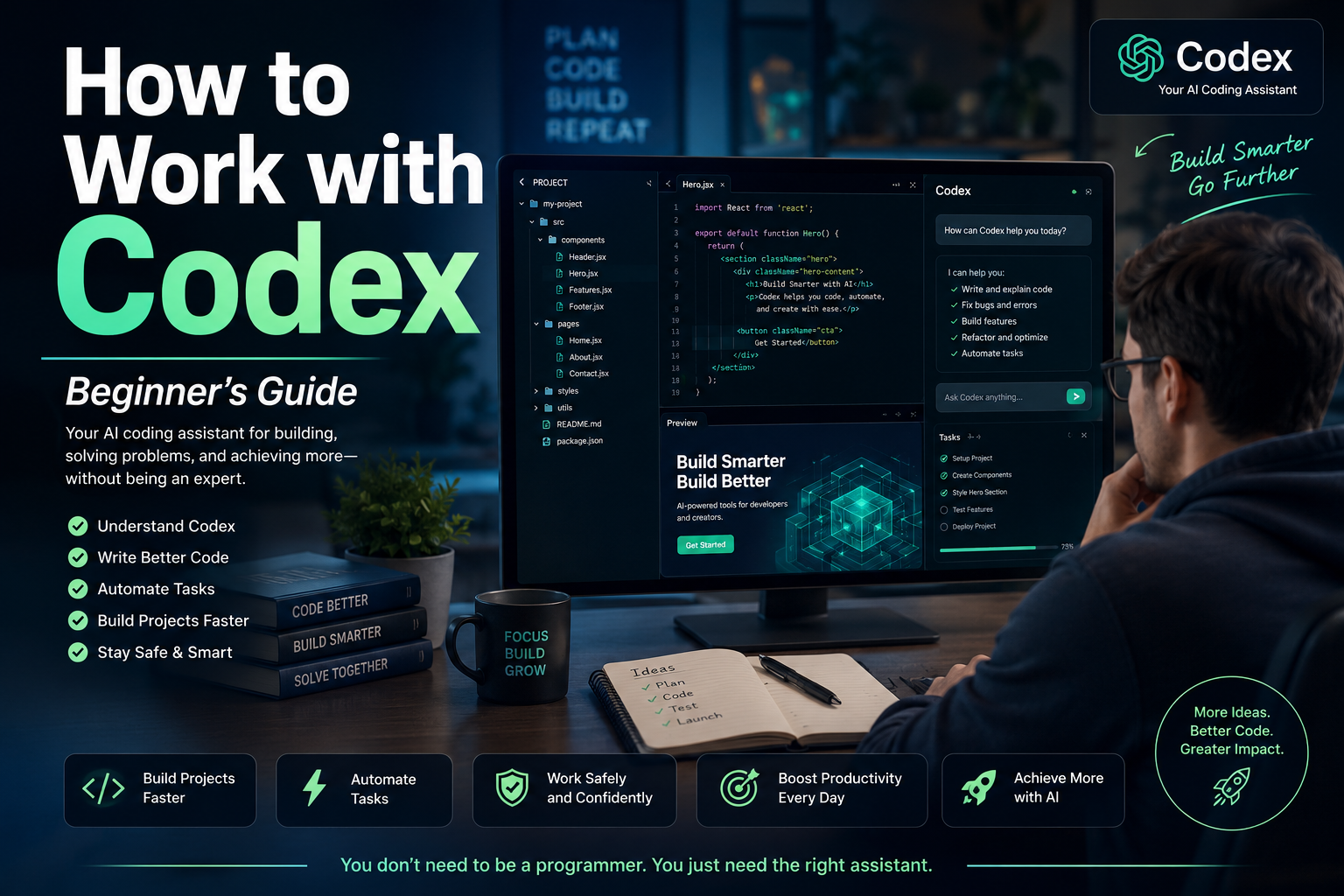
How and Why to Work with Codex: A Practical Guide to Getting Started

Artificial intelligence is changing how people create websites, develop applications, organize information, analyze data, and automate repetitive work. One of the most important tools in this transformation is Codex, OpenAI’s AI agent for working with software, files, projects, and technical workflows.

Codex is often described as a coding agent, but its usefulness is no longer limited to professional programmers. Entrepreneurs, digital marketers, content creators, analysts, consultants, and small-business owners can also use it to create practical tools, improve websites, examine project files, organize data, and automate recurring activities.

The key is understanding what Codex can do, how to communicate with it, and how to supervise its work responsibly.

What Is Codex?

Codex is an AI agent designed to help people write, understand, review, test, and improve software. It can examine the files inside an authorized project, understand how those files relate to one another, make coordinated changes, run commands, investigate errors, and explain the work it has completed.

Unlike a traditional chatbot that may give you a single piece of code to copy and paste, Codex can work with the structure of an entire project.

For example, instead of merely asking for a contact form, you could give Codex access to a practice website and instruct it to:

  • Add a contact form to the correct page.
  • Match the form to the existing design.
  • Validate the required fields.
  • improve the mobile layout.
  • Check that the form does not interfere with other page elements.
  • Explain every file that was changed.

OpenAI describes Codex as an AI coding agent that can help write, review, and ship code. It can work with local folders, Git repositories, development tools, terminals, editors, and cloud-based environments, depending on the way it is being used.

Why Should You Work with Codex?

1. It Helps Turn Ideas into Working Projects

Many people have valuable ideas, but do not know how to transform those ideas into functioning digital tools.

You may want to create:

  • A landing page
  • A lead-generation form
  • A simple calculator
  • A bilingual website
  • A campaign-link organizer
  • A customer-tracking dashboard
  • A content-planning tool
  • An email template manager
  • A basic membership area
  • A local SEO auditing tool

Codex can help transform a clearly explained idea into an organized project with actual files and working functionality.

You still need to define the purpose, audience, requirements, and limitations. However, you do not always need to know every programming command before beginning.

2. It Can Understand an Existing Project

One of the hardest parts of working with a website or application is discovering where everything is located.

A project may contain dozens or hundreds of files. One file may control the navigation, another may control the design, and several others may determine how forms, links, or data work.

Codex can inspect an authorized project and explain:

  • What the project appears to do
  • Which files are most important
  • Where the homepage is located
  • How the design is organized
  • Where a particular button or form is created
  • Which files may be responsible for an error
  • How the project can be tested locally

This can save time and reduce the confusion caused by changing the wrong file.

3. It Can Make Coordinated Changes

A simple modification may require changes in several places.

For example, adding a Spanish version of a website may require:

  • New Spanish pages
  • Updated navigation
  • A language selector
  • Correct internal links
  • Spanish SEO titles and descriptions
  • Revised image descriptions
  • Mobile-layout adjustments
  • Updates to shared headers and footers

Codex can examine the relationships among the files and make coordinated changes rather than treating each file as an isolated document.

4. It Can Find and Fix Problems

Codex can help investigate:

  • Broken buttons
  • Missing pages
  • Incorrect links
  • Form-validation problems
  • Layout issues
  • Repeated code
  • Installation failures
  • Configuration mistakes
  • Accessibility concerns
  • Test failures

The agent can inspect the relevant files, identify likely causes, propose a solution, and run available tests or commands to verify its work.

This does not guarantee that every answer will be correct. Human review and manual testing are still necessary. However, Codex can significantly accelerate the investigation process.

5. It Can Automate Repetitive Work

Many business activities follow predictable patterns.

A marketer may repeatedly need to:

  • Clean subscriber lists
  • Organize campaign information
  • Create tracking links
  • Check pages for missing SEO elements
  • Rename image files
  • Generate standardized reports
  • Convert data into a preferred format
  • Compare campaign results
  • Prepare recurring content structures

Codex can help create scripts or lightweight tools that perform these activities consistently.

OpenAI has also expanded Codex beyond traditional software development. Recent official materials describe its use in research, reports, data analysis, workflow automation, documents, spreadsheets, presentations, and lightweight business tools.

6. It Gives You Reviewable Changes

A responsible AI workflow should not hide what has been changed.

Codex can present file differences so that you can examine additions, removals, and modifications before accepting or publishing the result. The desktop experience supports project threads, reviewable changes, and parallel work in isolated project environments.

This is important because you remain responsible for the final result.

Who Can Benefit from Codex?

Codex is especially valuable for:

Developers

Developers can use it to write features, review code, create tests, repair bugs, perform migrations, improve documentation, and understand unfamiliar repositories.

Digital Marketers

Marketers can use it to create landing pages, analyze HTML, generate campaign tools, organize links, examine tracking implementations, and automate repetitive reporting.

Small-Business Owners

Business owners can use Codex to develop simple internal tools without immediately commissioning a large custom software project.

Content Creators

Creators can build article organizers, content databases, publishing checklists, metadata generators, or systems for managing bilingual content.

Analysts and Researchers

Codex can help process datasets, create repeatable analyses, organize research materials, and produce structured outputs.

Beginners

Beginners can use Codex to learn how projects are organized, understand unfamiliar code, and build small practice projects with detailed explanations.

However, beginners should start slowly and avoid giving an AI agent unrestricted access to critical business systems.

How to Start Working with Codex

Step 1: Choose How You Will Use It

Codex can be used through different environments, including the ChatGPT desktop experience, an editor integration, the command-line interface, and supported cloud workflows.

OpenAI’s current starting guidance instructs users to open Codex, sign in with their ChatGPT account, and select a local folder or Git repository where the agent will work.

For most beginners, the desktop experience is easier because it provides a visual interface for projects, conversations, approvals, file changes, and results.

The Codex desktop experience became available on macOS and Windows, and Codex has since been incorporated into the broader ChatGPT desktop application experience.

Step 2: Create a Safe Practice Folder

Do not begin by giving Codex access to the only copy of an important website.

Create a separate folder, such as:

  • codex-practice-project

Use that folder to test simple assignments. You could place a text file inside it containing a brief project description.

For example:

“This is a practice project for creating a simple bilingual digital-marketing landing page. Do not modify files outside this folder.”

Working in a separate folder gives you room to experiment without endangering an active business project.

Step 3: Start with a Small Project

Your first project should be easy to inspect manually.

A suitable beginning assignment would be:

“Create a responsive one-page website for a fictional digital-marketing service. Include a headline, an introduction, three benefits, a call-to-action button, and a footer. Use only HTML and CSS. Explain every file you create.”

A small project allows you to observe:

  • How Codex interprets instructions
  • How it organizes files
  • How it explains its work
  • How proposed changes are displayed
  • How you can request revisions
  • How testing is performed

Step 4: Ask Codex to Inspect Before Editing

When working with an existing project, begin with inspection.

Use an instruction such as:

“Inspect this project without changing anything. Explain what it does, identify the important files, and tell me which files would probably need to change to improve the homepage.”

This separates analysis from implementation.

Once you understand the plan, you can authorize a specific change.

Step 5: Give Complete Instructions

Codex performs better when your request includes five elements:

Context

Explain what the project is.

“This is a bilingual landing page promoting a secure cloud-backup service.”

Objective

State what you want accomplished.

“Improve the page so visitors understand the service and feel comfortable beginning a free trial.”

Requirements

List the elements that must be included.

“Add a clear headline, three benefits, a short trust section, a frequently asked questions section, and two calls to action.”

Restrictions

Explain what must not change.

“Do not change prices, affiliate links, tracking codes, form destinations, disclaimers, or product names.”

Verification

Tell Codex how to check the work.

“After making the changes, check the page for broken links, mobile layout problems, missing image descriptions, and HTML errors. Summarize every file modified.”

This structure reduces ambiguity and gives the agent a clear definition of success.

Step 6: Review the Plan

Before allowing major modifications, ask Codex to present a plan.

For example:

“Before changing any files, explain your approach and list the files you expect to create or modify.”

Review the plan carefully.

Make sure the agent understands:

  • The correct business objective
  • The correct target audience
  • The correct language
  • The files may change
  • The files it must preserve
  • The links must not alter
  • Whether publishing is allowed

For important projects, you should explicitly state:

“Do not publish, deploy, push, merge, send, or delete anything without my approval.”

Step 7: Review the File Changes

After Codex completes a task, examine the differences.

Look for:

  • Unexpected file deletions
  • Altered links
  • Rewritten prices
  • Modified legal language
  • Removed tracking codes
  • New external dependencies
  • Unfamiliar scripts
  • Changes outside the requested area
  • Placeholder text
  • Incorrect translations

Never approve changes simply because the agent says the task was successful.

Step 8: Test the Result

Ask Codex what it tested and then perform your own inspection.

For a website, manually test:

  • Navigation
  • Buttons
  • Forms
  • Mobile appearance
  • Desktop appearance
  • English and Spanish pages
  • Affiliate links
  • Download links
  • Contact information
  • Accessibility
  • Page loading

For a data tool, test it using a small copy of your data before using customer or business records.

Step 9: Save a Working Version

Use backups or version control.

Git is a system that records project changes. It allows you to compare versions and restore a previous state if a modification creates a problem.

Even without advanced Git knowledge, you can ask Codex to explain whether a project already uses Git and what the current status means.

However, do not allow the agent to push changes to a public repository or deploy a website until you understand and approve the result.

Step 10: Expand Gradually

Once your first project works, add one improvement at a time.

For example:

  1. Create the original landing page.
  2. Improve the mobile layout.
  3. Add the Spanish version.
  4. Add an FAQ section.
  5. Add an SEO checker.
  6. Add a campaign-link organizer.
  7. Add a simple reporting feature.

This gradual approach makes errors easier to identify and correct.

A Practical First Codex Project for a Digital Marketer

A useful beginner project would be a Bilingual Campaign Page Generator.

The tool could allow you to enter:

  • Campaign name
  • English headline
  • Spanish headline
  • Product description
  • Benefits
  • Call-to-action text
  • Destination URL
  • SEO title
  • Meta description
  • Image title
  • Alternative text
  • Caption
  • Disclaimer

The tool could then generate organized English and Spanish page files.

A first Codex instruction might be:

“Create a simple local bilingual campaign-page generator using HTML, CSS, and JavaScript. The user should be able to enter English and Spanish marketing information and generate a preview. Do not use external libraries. Keep all information inside the browser and do not transmit data anywhere. Explain how to open and use the project.”

This project is practical, relatively easy to inspect, and directly connected to online marketing work.

Important Safety Practices

Protect Passwords and Private Keys

Never paste passwords, payment credentials, private API keys, secret tokens, or customer information into an instruction unless you fully understand the security environment and the information is genuinely required.

Use placeholder values during development whenever possible.

Use Copies of Important Data

Test scripts on copied data, not on your only business records.

Limit the Working Folder

Give Codex access only to the project it needs.

Require Approval for Sensitive Actions

Be careful with commands that install software, delete files, change permissions, connect to external services, publish websites, or modify databases.

Review Legal and Marketing Claims

Codex may help write text, but you are responsible for verifying prices, guarantees, earnings claims, testimonials, privacy statements, and disclaimers.

Maintain Human Oversight

AI agents can misunderstand requirements, make incorrect assumptions, or create code that appears functional but contains hidden problems.

Human review is not an optional final step. It is part of the process.

Common Beginner Mistakes

Asking for Too Much at Once

“Build my entire online business” is too broad.

A better instruction is:

“Create the first version of a responsive lead-capture landing page using placeholder form information.”

Giving Vague Instructions

“Make the site better” does not define what better means.

Specify whether you want improved clarity, speed, credibility, accessibility, mobile layout, or conversions.

Failing to State Restrictions

When important elements must remain unchanged, say so explicitly.

Approving Changes Without Testing

A completed task is not automatically a correct task.

Using Live Business Data Too Soon

Practice with sample data before using real subscriber, customer, financial, or campaign information.

Allowing Automatic Publishing

Keep publishing and deployment under manual control while you are learning.

A Simple Codex Workflow

A reliable workflow can be summarized in seven stages:

Inspect → Plan → Authorize → Implement → Review → Test → Publish

Inspect

Understand the existing project.

Plan

Define the intended changes.

Authorize

Approve only the specific work you understand.

Implement

Let Codex complete the authorized task.

Review

Examine every important change.

Test

Verify the result with automated and manual checks.

Publish

Release the result only after final human approval.

Final Reflection

Codex is not valuable merely because it can write code quickly.

Its real value is that it can help people move from an idea to an organized, testable, and reviewable project. It can explain unfamiliar systems, coordinate changes across files, investigate problems, and create tools that reduce repetitive work.

However, the quality of the result depends heavily on the quality of the instruction and the discipline of the person supervising the agent.

The best way to begin is not by attempting an enormous project. Start with a safe folder, a small objective, clear restrictions, and a result you can test yourself.

You do not need to become an expert programmer before using Codex. You need to become a thoughtful director of the work.

When you provide clear context, specific requirements, reasonable boundaries, and careful review, Codex can become more than a code generator. It can become a practical collaborator for building, improving, and organizing your digital work.


Disclaimer

This article is provided for general educational and informational purposes only. It does not constitute technical, legal, cybersecurity, financial, or professional advice.

Features, availability, usage limits, interfaces, pricing, and system requirements associated with Codex, ChatGPT, OpenAI products, third-party software, and development platforms may change over time. Readers should consult the current official documentation before installing software, connecting repositories, granting file access, executing commands, or making business decisions.

Artificial intelligence can produce incomplete, incorrect, insecure, or unsuitable results. All generated code, commands, files, translations, marketing claims, links, configurations, and recommendations should be reviewed and tested by a qualified person before being published or used in a live environment.

Never expose passwords, customer information, payment credentials, private API keys, confidential documents, or sensitive business data unnecessarily. Maintain secure backups and use copies of important files when testing.

The author and publisher assume no responsibility for losses, errors, security incidents, damaged files, interrupted services, business outcomes, or other consequences resulting from the use or misuse of the information presented in this article. Use Codex and related tools responsibly and at your own discretion.