Publicado en analytics tools, data analytics, 📊 Data & Optimization Strategies, keyword strategy, marketing performance, SEO optimization

Google Analytics: Understanding Your Data Like a Pro

📉 Week 14: Google Analytics


Learn how to use Google Analytics to track, measure, and improve your digital marketing performance. Discover key metrics, tools, and insights to grow your online business effectively.


🌟 Introduction

In the digital world, data is everything — but it’s only valuable if you understand it. That’s where Google Analytics comes in.

This free yet powerful tool helps you track who visits your website, where they come from, and what they do once they’re there. With this information, you can make smarter decisions, improve user experience, and maximize your marketing results.

Let’s break down how to use Google Analytics like a pro and transform raw data into meaningful business insights.


🧠 1. What Is Google Analytics?

Google Analytics is a web analytics platform that tracks and reports website traffic, user behavior, and campaign performance.

It tells you not just how many people visit your site, but who they are, what they want, and how they interact with your content.

Think of it as your digital dashboard — helping you monitor every aspect of your online performance in real time.


📊 2. Why Google Analytics Is Essential

Without analytics, you’re flying blind. With it, you can make data-driven decisions that improve your ROI.

Here’s why it matters:

  • 🎯 Understand Your Audience: Learn demographics, interests, and behavior.
  • 💰 Track Conversions: See which campaigns drive sales or leads.
  • 🧭 Measure Marketing Channels: Identify which platforms deliver the best traffic.
  • ⚙️ Optimize Content: Discover which pages attract or lose visitors.
  • 📈 Improve ROI: Invest your time and budget where it matters most.

Analytics gives you the power to predict, plan, and perform better.


🧩 3. Key Metrics You Should Monitor

To make sense of the data, focus on these fundamental metrics:

MetricMeaningWhy It Matters
UsersNumber of unique visitorsShows total reach and audience growth
SessionsTotal visits, including repeatsMeasures engagement frequency
Bounce Rate% of visitors leaving without interactionIndicates content relevance and UX
Average Session DurationAverage time spent on siteReveals user interest level
Traffic SourcesWhere visitors come fromHelps identify top-performing channels
Conversion Rate% of users completing a goalMeasures campaign effectiveness

Each of these tells a different story about how well your website performs.


⚙️ 4. Setting Up Google Analytics

If you haven’t already, setting up Google Analytics is easy:

  1. Sign Up: Go to analytics.google.com.
  2. Add Your Website: Create a new property for your domain.
  3. Install Tracking Code: Copy the provided JavaScript code into your site header.
  4. Verify Data: Use the “Real-Time” view to confirm tracking works.

From there, you can start gathering data immediately.


📍 5. Understanding Traffic Channels

Google Analytics categorizes your traffic into key channels:

  • Organic Search: Visitors from search engines (SEO).
  • Direct: Visitors typing your URL directly.
  • Referral: Visitors coming from other websites.
  • Social: Traffic from social media platforms.
  • Email: Visitors clicking links in newsletters.
  • Paid Search: Visitors from Google Ads campaigns.

Knowing where your audience comes from helps you focus your marketing budget wisely.


💡 6. Advanced Features for Marketers

Once you’re comfortable with the basics, explore these powerful tools:

Goals & Conversions: Track actions like purchases, sign-ups, or downloads.
UTM Parameters: Add tags to your links to track specific campaigns.
Behavior Flow: Visualize how visitors navigate your site.
Audience Reports: Segment users by demographics or interests.
Custom Dashboards: Monitor your favorite metrics in one view.

These insights reveal the “why” behind your numbers — helping you act strategically.


📈 7. Common Mistakes to Avoid

❌ Ignoring data trends — small shifts can signal big opportunities.
❌ Focusing on vanity metrics like “likes” instead of conversions.
❌ Forgetting to track goals or set up events.
❌ Not connecting Google Analytics with Google Ads for unified reporting.

Remember: data without interpretation is just noise — your job is to find the story in the stats.


🚀 Conclusion & Call to Action

Google Analytics is more than a tracking tool — it’s your digital compass. It guides you toward what’s working and away from what’s not, helping you grow with clarity and confidence.

👉 This week, spend 30 minutes exploring your Analytics dashboard. Identify your top-performing pages, your biggest traffic sources, and one metric you want to improve.

Next week: Week 15 — Video Advertising: How to Captivate, Engage, and Convert.
Publicado en analytics tools, data analytics, 📊 Data & Optimization Strategies, keyword strategy, marketing performance, SEO optimization

Keyword Management: Mastering the Words That Drive Results

🔑 Week 13: Keyword Management


Discover how to find, organize, and optimize the right keywords for your website and campaigns. Learn how keyword management improves SEO, increases visibility, and drives qualified traffic.


🌟 Introduction

Behind every successful digital marketing campaign is one simple truth — keywords are the bridge between you and your audience. They’re the words people type into search engines when they’re looking for solutions, products, or inspiration.

Keyword management is the art of selecting, organizing, and optimizing those words strategically to boost visibility, attract the right visitors, and convert them into loyal customers. Let’s dive into how mastering keywords can elevate your entire digital presence.


🧠 1. What Is Keyword Management?

Keyword management is the ongoing process of researching, selecting, analyzing, and refining the keywords your business targets in SEO and paid campaigns.

It’s not just about finding words — it’s about understanding intent.

When you manage your keywords effectively, you connect with people who are ready to take action.

Example:

  • Someone searching “best running shoes 2025” is ready to buy.
  • Someone searching “how to start running” is seeking education.

Both are valuable — but require different strategies.


📈 2. Why Keyword Management Matters

Keywords are the foundation of all digital marketing strategies. They determine how search engines index your content and how your audience finds you.

Here’s why keyword management is vital:

  • 🚀 Increases Visibility: Helps your content appear on relevant searches.
  • 🎯 Improves Targeting: Reaches the right people with the right message.
  • 💰 Maximizes ROI: Ensures your ad spend and SEO efforts focus on profitable terms.
  • 🧩 Guides Content Creation: Provides direction for blog posts, videos, and campaigns.
  • 📊 Tracks Performance: Allows you to measure and refine strategies based on data.

Without keyword management, you’re shooting in the dark. With it, you’re aiming with precision.


🔍 3. Types of Keywords You Should Know

Understanding the different types of keywords helps you build a balanced strategy:

1. Short-Tail Keywords (Head Terms)

  • Example: “Shoes,” “Digital Marketing”
  • High volume, high competition, but broad intent.

2. Long-Tail Keywords

  • Example: “Best running shoes for women under $100”
  • Lower competition, highly specific, and higher conversion rates.

3. LSI (Latent Semantic Indexing) Keywords

  • Related terms that help search engines understand context.
  • Example: For “email marketing,” related words might be “automation,” “lead nurturing,” or “open rates.”

4. Geo-Targeted Keywords

  • Focused on location to attract local customers.
  • Example: “Digital marketing agency in Las Vegas.”

5. Branded vs. Non-Branded Keywords

  • Branded: “Nike running shoes”
  • Non-Branded: “lightweight running shoes”

A strong SEO strategy blends all these types for maximum impact.


⚙️ 4. The Keyword Management Process

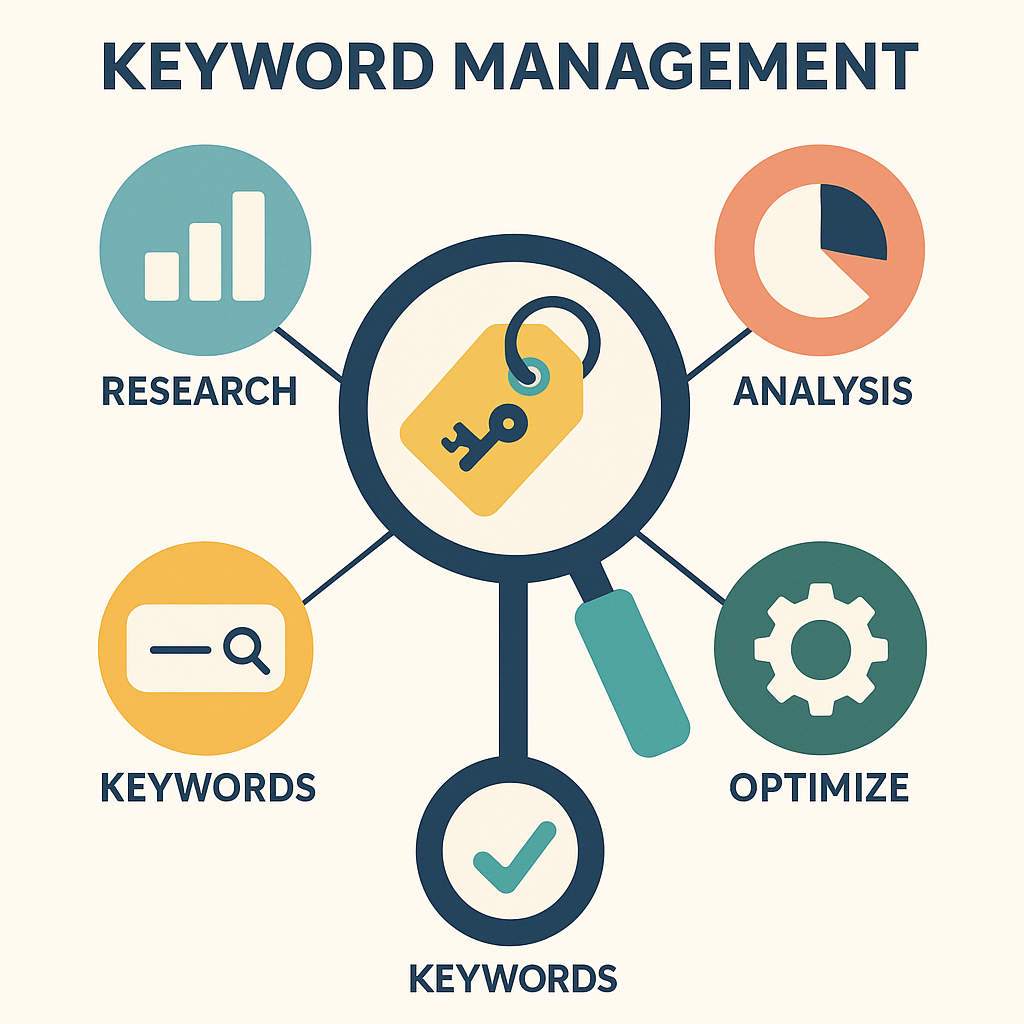
Here’s a simple 5-step system to manage your keywords effectively:

Step 1: Research

Use tools like Google Keyword Planner, Ahrefs, or Semrush to find terms people are searching for in your niche.

Step 2: Analyze

Evaluate keywords based on:

  • Search Volume
  • Competition
  • Relevance
  • Intent

Step 3: Organize

Group keywords by theme or campaign goal — such as “Product Keywords,” “Educational Keywords,” or “Local Keywords.”

Step 4: Implement

Integrate them naturally into:

  • Website copy
  • Blog posts
  • Product descriptions
  • Meta titles and descriptions
  • Ad campaigns

Step 5: Monitor & Optimize

Track performance regularly and adjust based on which keywords bring traffic or conversions.


💡 5. Tools for Effective Keyword Management

These tools simplify research and help you stay ahead of your competitors:

  • Google Keyword Planner – Free and reliable keyword insights.
  • Semrush / Ahrefs – In-depth analytics and keyword tracking.
  • Ubersuggest – Great for beginners and content ideas.
  • Moz Keyword Explorer – Measures keyword difficulty and opportunity.
  • AnswerThePublic – Generates questions and phrases people search for.

Each tool gives you a different layer of insight — together, they form your keyword command center.


📊 6. Common Mistakes to Avoid

❌ Stuffing too many keywords into your content.
❌ Ignoring long-tail and local search terms.
❌ Not tracking performance or revisiting your keyword list.
❌ Using the same keywords for every page.

SEO success is about relevance and strategy, not repetition.


🚀 Conclusion & Call to Action

Keyword management is like tuning an instrument — precision and consistency create harmony. The right words attract the right audience, leading to higher visibility, engagement, and conversions.

👉 This week, perform a keyword audit. Identify 10 new keywords that match your goals, and optimize one existing article or ad around them.

Next week: Week 14 — Google Analytics: Understanding Your Data Like a Pro.

Publicado en analytics tools, data analytics, 📊 Data & Optimization Strategies, keyword strategy, marketing performance, SEO optimization

Results Analysis: Understanding What Works and Why in Digital Marketing

📊 Week 10: Results Analysis


Learn how to analyze your digital marketing results effectively. Discover key metrics, tools, and techniques to measure performance, understand what’s working, and optimize your strategy for growth.


🌟 Introduction

In digital marketing, success isn’t just about running campaigns — it’s about knowing what’s working and why. Without analysis, even the best strategies can become blind experiments.

That’s where results analysis comes in. It’s the process of measuring, interpreting, and improving your marketing performance using data and insights. By tracking the right metrics, you can make smarter decisions, maximize your ROI, and continuously grow your business.

Let’s explore how to analyze results like a pro and use data to fine-tune every aspect of your digital marketing strategy.


🧠 1. What Is Results Analysis?

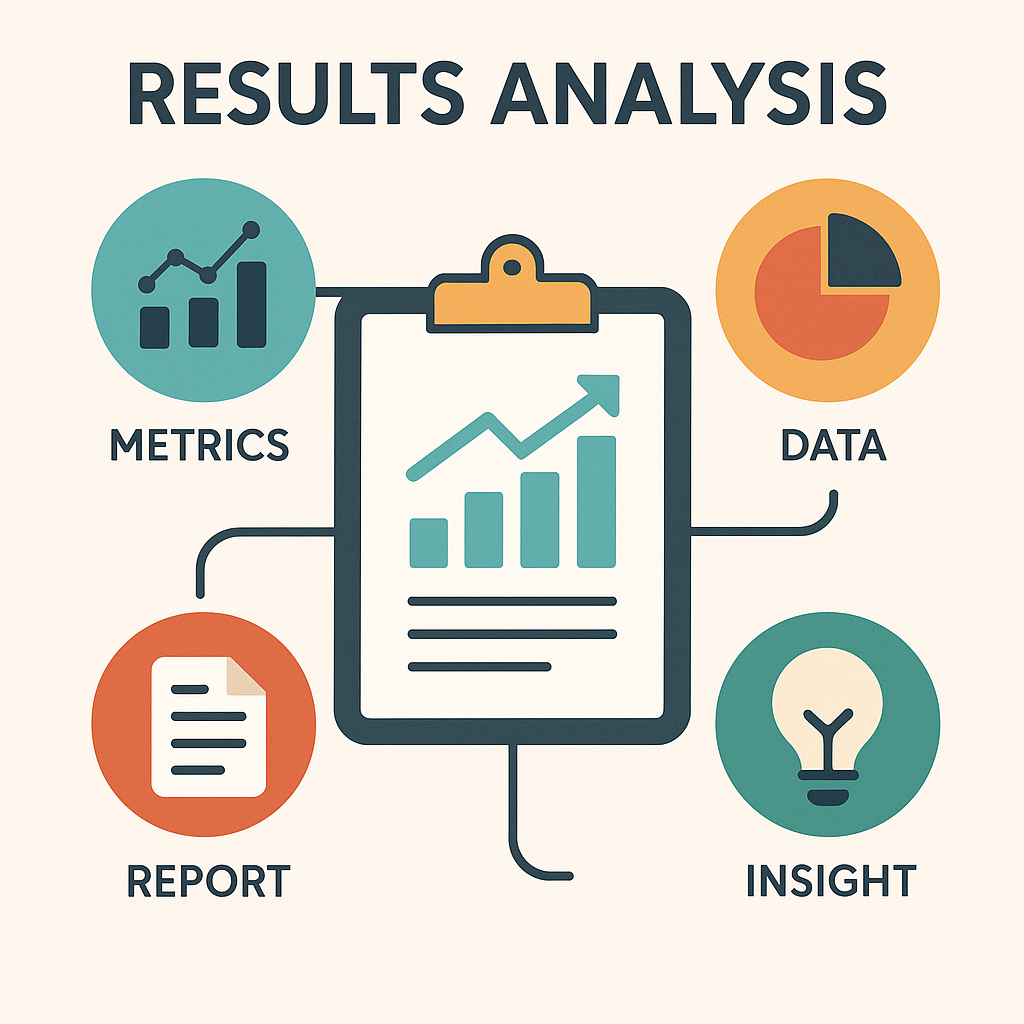
Results analysis is the systematic review of your marketing activities to determine their effectiveness. It involves studying key metrics such as traffic, conversions, engagement, and ROI — then using that data to make informed decisions.

In simple terms:

“If you can measure it, you can improve it.”

Effective marketers don’t rely on luck — they rely on numbers, insights, and patterns.


📈 2. Why Results Analysis Matters

Without analysis, you’re guessing. With it, you’re growing.

Here’s why it’s crucial:

  • 🎯 Refines Strategies: You’ll know which campaigns deliver the best results.
  • 💰 Maximizes ROI: You invest more in what works and cut what doesn’t.
  • 🧩 Improves Targeting: Learn which audience segments engage the most.
  • ⏱️ Saves Time: Stop wasting effort on low-performing tactics.
  • 💡 Encourages Innovation: Data reveals new opportunities and insights.

Results analysis gives you the clarity to make confident, data-backed marketing decisions.


🔍 3. Key Metrics to Measure

Tracking the right metrics is essential to understanding your success. Here are the main categories to focus on:

1. Traffic Metrics

  • Website Visits
  • Page Views
  • Average Session Duration

These tell you how many people are visiting and how long they’re staying.

2. Engagement Metrics

  • Likes, Comments, Shares
  • Click-Through Rate (CTR)
  • Bounce Rate

Engagement shows how your audience interacts with your content.

3. Conversion Metrics

  • Leads Generated
  • Purchases or Sign-Ups
  • Conversion Rate

These reveal how well your campaigns are driving actions that matter.

4. ROI Metrics

  • Cost Per Click (CPC)
  • Cost Per Acquisition (CPA)
  • Return on Ad Spend (ROAS)

These determine your profitability and help optimize your budget.


⚙️ 4. Tools for Results Analysis

Having the right tools turns raw data into actionable insights.

Best Tools to Analyze Your Marketing Performance:

  • Google Analytics: Track traffic, user behavior, and conversions.
  • Google Search Console: Monitor keyword rankings and SEO performance.
  • Meta Ads Manager: Analyze ad reach, engagement, and conversion data.
  • GetResponse / Mailchimp: Evaluate email marketing results.
  • SEMrush / Ahrefs: Review SEO and content performance.
  • Hotjar: Visualize user interactions with heatmaps.

Each tool provides valuable insight into different aspects of your strategy — together, they give you a complete picture.


💡 5. How to Analyze and Interpret Results

Collecting data is only step one — interpreting it is where the magic happens.

Here’s a simple 5-step approach:

  1. Set Clear Goals: Know what success means (traffic, leads, sales, etc.).
  2. Collect Accurate Data: Use analytics tools consistently.
  3. Identify Trends: Look for growth, drops, or repeating patterns.
  4. Compare Results: Measure current data against past performance.
  5. Adjust Strategy: Double down on what works; improve or remove what doesn’t.

Remember: numbers alone don’t tell the story — interpretation does.


📊 6. Example: Turning Data Into Decisions

Let’s say you ran a social media ad campaign for a new product.

  • You spent $200
  • Generated 1,000 clicks
  • Made 50 sales worth $750 total revenue

✅ Your Conversion Rate = 5%
✅ Your Return on Investment (ROI) = 275%

That means the campaign was profitable and worth scaling!

Without analysis, you might have missed that success — or worse, kept investing in a campaign that wasn’t working.


🚀 Conclusion & Call to Action

Results analysis transforms data into direction. It helps you focus your time, energy, and budget on strategies that truly move the needle.

👉 This week, review your analytics dashboard and identify one area for improvement — maybe your click-through rate, bounce rate, or lead conversions. Track your progress over time, and let the numbers guide your next move.

Next week: Week 11 — Social Media Platforms: Choosing Where Your Brand Belongs.