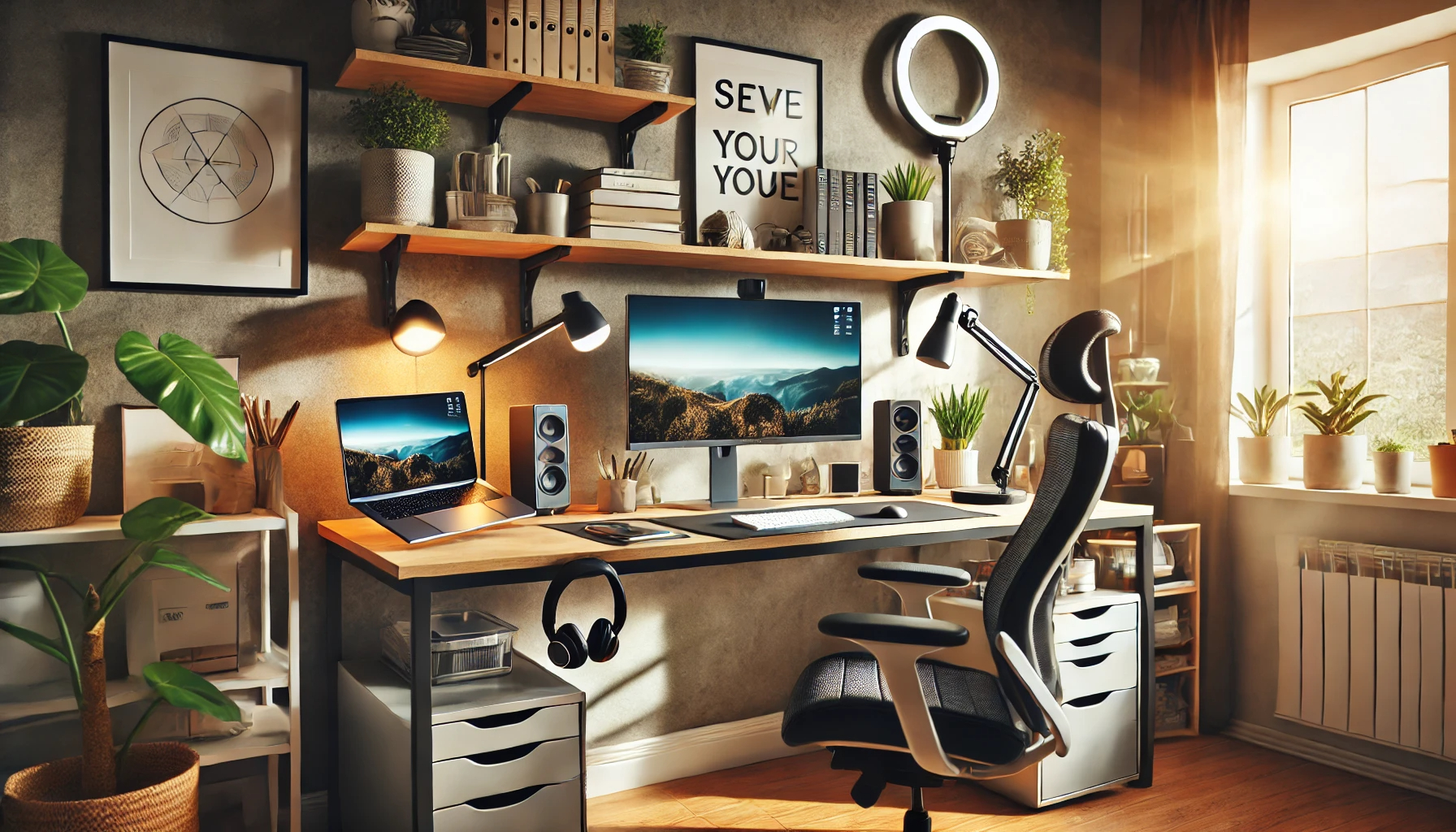
Working remotely has become a game-changer for millions of professionals around the world. 🌍✨ It offers flexibility, autonomy, and the ability to create a work environment tailored to your needs. However, without a productive setup, remote work can easily lead to distractions, discomfort, and reduced efficiency. 😅 In this article, we’ll explore how to design the perfect remote work setup, complete with actionable tips, tech tools, and productivity strategies to help you thrive. 🚀
The Foundation of Productivity: Setting Up Your Workspace 💻🎨
A well-designed workspace is the cornerstone of a successful remote work experience. 🏆 Here are some essentials to consider:
1. Ergonomic Furniture 🪑
Investing in ergonomic furniture is crucial for comfort and long-term health.
- Desk: Choose a spacious desk with adjustable height options. Standing desks are an excellent choice for maintaining energy levels throughout the day. 💪
- Chair: Opt for an ergonomic chair with lumbar support to prevent back pain. 🛋️
2. Lighting Matters 💡
Good lighting is essential for reducing eye strain and improving focus. 🔍
- Place your desk near a window for natural light. 🌞
- Use a desk lamp with adjustable brightness and warm light settings for late-night work sessions. 🌙
3. Organize for Accessibility 📚✏️
Keep your workspace tidy and organized.
- Use storage solutions like shelves, desk organizers, or filing cabinets. 📂
- Ensure frequently used items (notebooks, pens, or gadgets) are within arm’s reach. 🖊️
Equipping Your Workspace with the Right Tech Tools 🔌⚙️
Your tech setup plays a significant role in your productivity. ⚡ Here are the must-haves:
1. Core Equipment 🖥️
- Laptop or Desktop: A reliable computer with adequate processing power for your tasks. 💻
- Monitor: A second screen boosts productivity by allowing you to multitask efficiently. 🖥️
- Keyboard & Mouse: Choose ergonomic designs to prevent strain during long hours of work. 🖱️⌨️
2. Essential Accessories 🎧
- Noise-Canceling Headphones: Block out distractions for deep focus. 🔇🎶
- Webcam and Microphone: Ideal for video calls and virtual meetings. 🎥🎤
- Cable Management Tools: Keep your workspace clutter-free with clips or sleeves to organize cords. 🔌
3. Unique Gadgets for Creativity and Comfort ✨
- Standing Desk Converter: Allows you to alternate between sitting and standing. 🪟🕴️
- Ring Light: Perfect for professional video calls or content creation. 💡📸
- Smart Notebook or Digital Planner: Helps you stay organized while reducing paper usage. 📒
Daily Productivity Strategies for Remote Work 🕒📈
A productive workspace is only part of the equation. 🧠💡 Here are strategies to optimize your workflow:
1. Establish a Routine 📆
- Start your day with a consistent morning routine to signal your brain that it’s time to work. ☀️🧘
- End each day with a shutdown ritual to separate work from personal time. 🌙
2. Use Time Management Techniques ⏳
- Pomodoro Technique: Focus on tasks for 25 minutes, then take a 5-minute break. 🍅
- Time Blocking: Allocate specific times for deep work, meetings, and breaks. 📊
3. Take Breaks and Move 🏃♂️
- Schedule regular breaks to stretch, hydrate, or step outside for fresh air. 🌳💧
- Incorporate movement into your day, such as walking or a quick workout. 🏋️
Customizing Your Setup for Inspiration and Comfort 🎨🌿
Personalizing your workspace can boost creativity and morale:
- Add Plants: They improve air quality and add a touch of nature to your space. 🌱🌼
- Incorporate Artwork: Motivational quotes or personal photos can inspire you. 🖼️✨
- Choose Colors Wisely: Use calming colors like blue and green to create a serene environment. 🎨💙
Practical Tips for Designing Your Remote Workspace 💡
1. Start Small and Upgrade Gradually 🛠️
You don’t need to invest in everything at once. Begin with the basics, and add as your budget allows. 💸
2. Test and Adjust 🔄
Experiment with your layout and tools to find what works best for you. 🔍
3. Create Boundaries 🚪
If you share your home with others, establish clear boundaries to minimize interruptions. 🛑👨👩👧
Final Thoughts 🌟
Your remote work setup is more than just a desk and a chair—it’s the foundation of your productivity and well-being. 🏆 By designing a space that prioritizes ergonomics, organization, and inspiration, you can elevate your remote work experience and achieve your professional goals. 🎯
Take the time to evaluate your current setup and make adjustments to suit your needs. Remember, your workspace should be a reflection of your unique style and workflow. 💫
What’s your favorite part of your remote work setup? Share your tips and ideas in the comments below—we’d love to hear from you! 💬😊
Debe estar conectado para enviar un comentario.